Explore Kafka in Minutes with Conduktor's Embedded Cluster
Run Kafka locally with one command. Explore real-time data, encryption, masking, and safeguards without any setup.


Conduktor's latest release includes a new Getting Started experience. Check the changelog for full details.
The Getting Started installation provides an embedded Kafka cluster fed with real-time data. You can explore Kafka, troubleshoot issues, set up encryption and masking, protect clusters from bad configurations, and access features not available in vanilla Kafka. Connect your own cluster when ready.
This guide covers:
- Exploring Kafka topics in the UI
- Encrypting topic data
- Masking sensitive fields
- Protecting infrastructure from misbehaving clients
- Connecting your own Kafka cluster
One Command to Start
# Start Conduktor in seconds, powered with Redpanda
curl -L https://releases.conduktor.io/quick-start -o docker-compose.yml \
 && docker compose up -d --wait
This runs a Docker Compose file. You need Docker installed. Mac users: Homebrew works well.
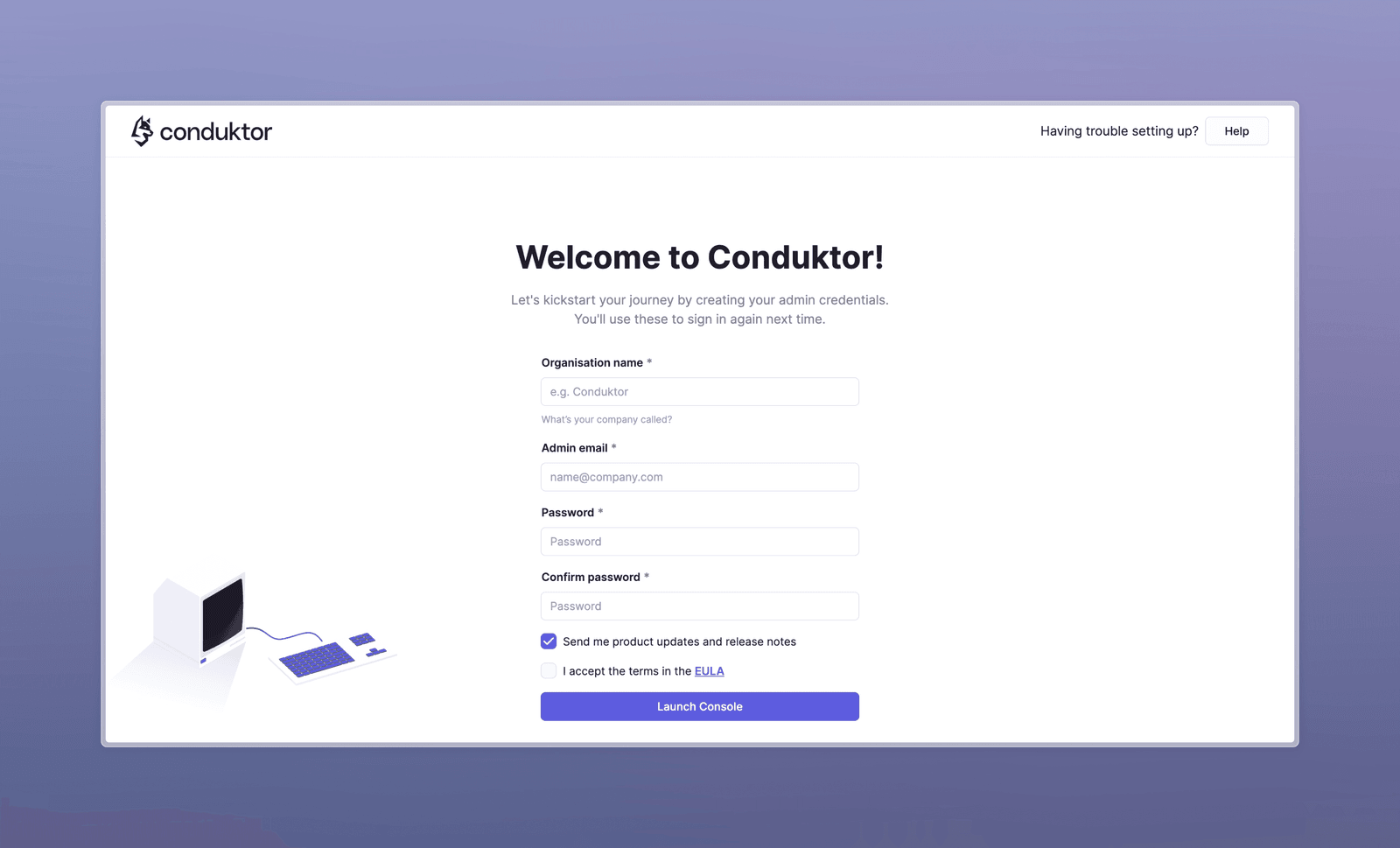
The compose file starts a Kafka cluster, a data generator, and Conduktor. Visit localhost:8080 to set up your profile.
The homescreen lets you connect clusters, manage groups and permissions with RBAC, or browse topics directly.
Exploring Kafka Topics in the UI
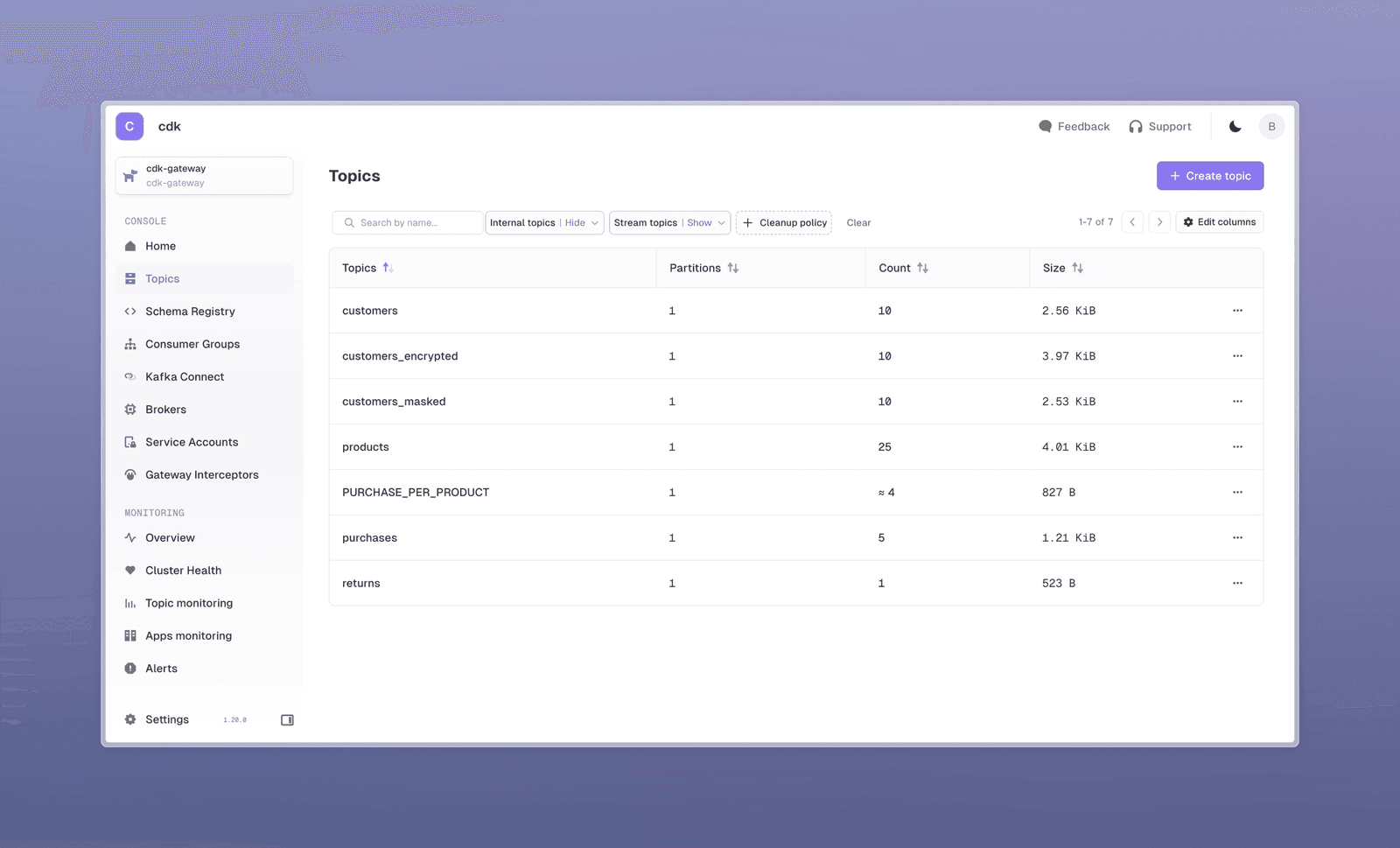
The embedded Kafka receives continuous sample ecommerce data: customers, products, purchases, and returns. The customers topic also has encrypted and masked versions.
Here is the customers_masked topic. Opening a record shows some values are hidden:
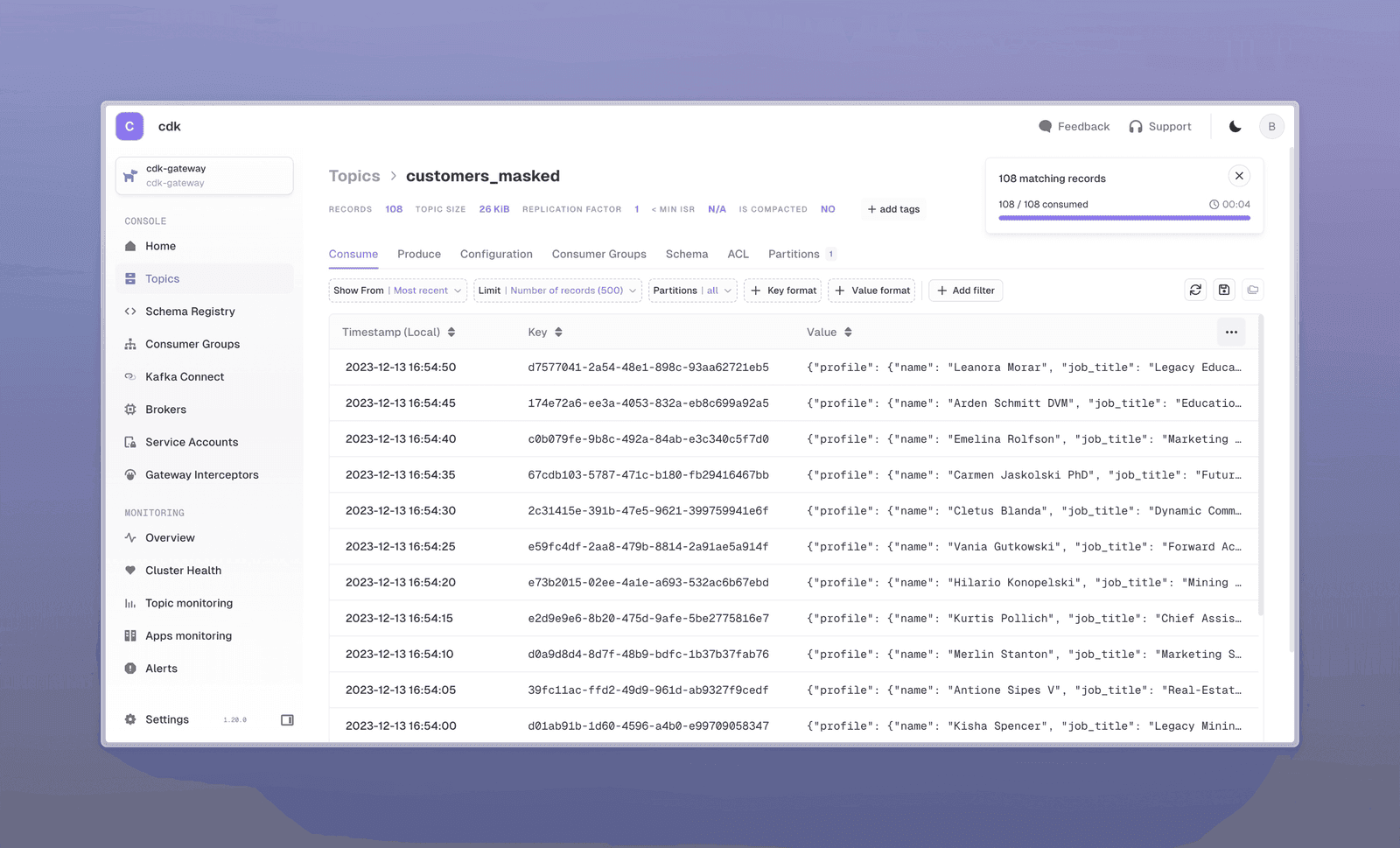
The sidebar provides quick access to Schema Registry, Consumer Groups, Kafka Connectors, and topic exploration features.
All topics are available on your get started cluster (named cdk-gateway):
How Encryption and Data Masking Work
The customers topic data is sensitive and requires encryption.
Switch to the local-kafka cluster using the selector at top left. The customers_encrypted topic contains unreadable encrypted data. You saw it decrypted in cdk-gateway because you have authorization.
Conduktor ensures data stays encrypted at rest in Kafka. The cdk-gateway cluster shows what your user is permitted to see.
The customers_masked topic has certain fields masked. This protects PII from unauthorized users. The original cluster retains unmasked values.
Conduktor interceptors power this. Navigate to Gateway Interceptors:
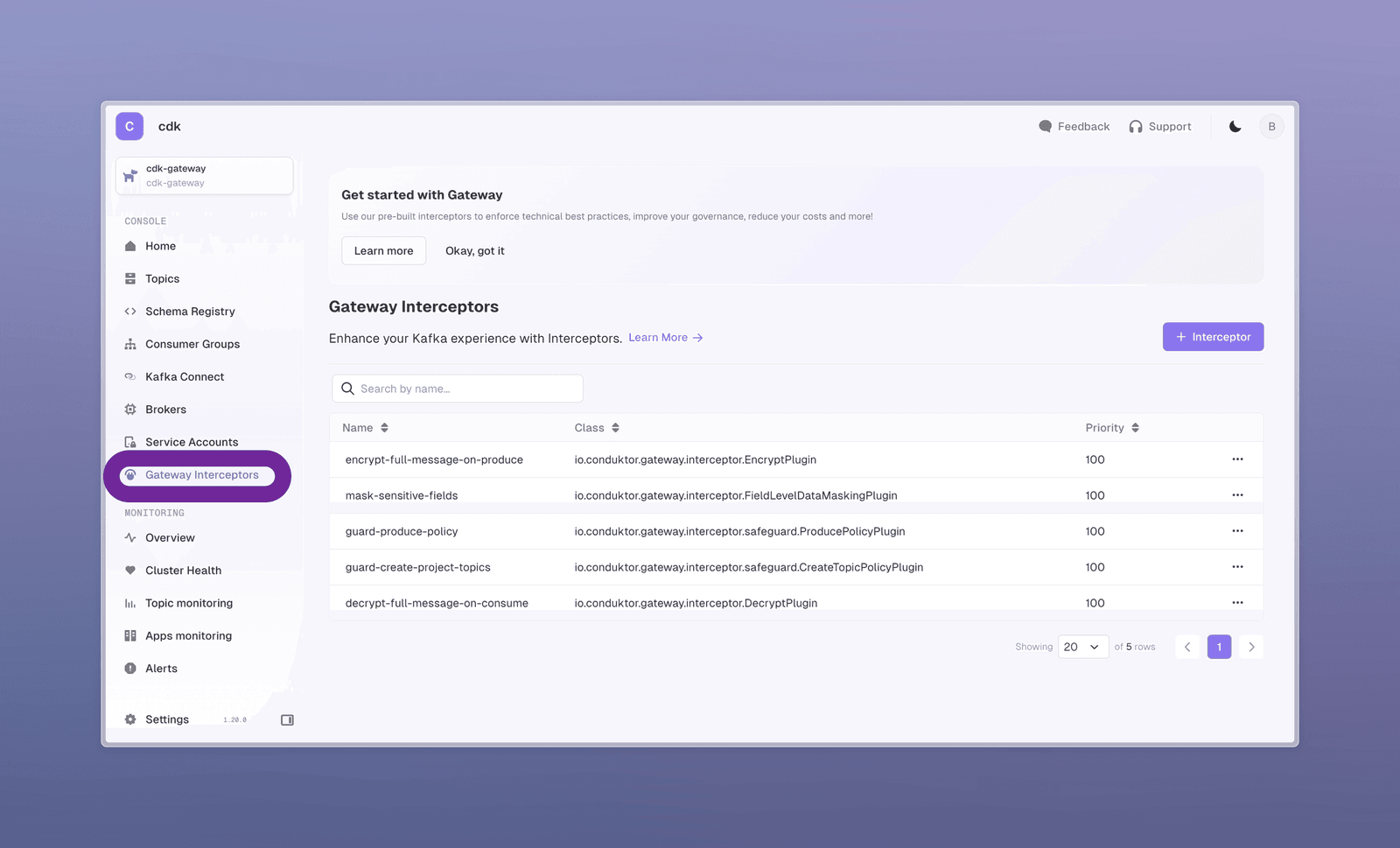
Three interceptors are pre-configured:
- Encrypt on Produce: encrypts data from the data generator
- Decrypt on Consume: decrypts data when you consume
- Field level Data Masking: masks parts of data when you consume
Click the masking interceptor to see its configuration:
- Topics it applies to
- Fully masked fields:
creditCardNumberandemail - Partial masking: first 9 characters of
phone
These interceptors add security without modifying your Kafka cluster, duplicating data, or changing applications.
Protecting Kafka Clusters with Safeguard Interceptors
Conduktor works with all Kafka providers (Open-source, Confluent, AWS MSK, Aiven, Redpanda) via the standard Kafka Protocol.
The get started cluster includes interceptors to protect against misbehaving clients. On the Gateway Interceptors page:
- Guard on Produce: only allows producers using
compression.type - Guard create Topics: topics starting with
project-must have 1-3 partitions
Try creating a topic project-xxx with 4 partitions. It fails.
The interceptor is set to BLOCK. You can also ALLOW & LOG for gradual migration, or ALTER the request to enforce criteria (use cautiously).
This applies to all clients, not just Conduktor Console. Your applications and GitOps will hit the same restrictions.
More safeguards are available. Visit the Marketplace to see all options.
Creating Custom Interceptors for Your Business Rules
You will have your own governance rules. Here is how to create a topic creation policy.
Open the guard-create-project-topics interceptor configuration. Copy it from the text editor:
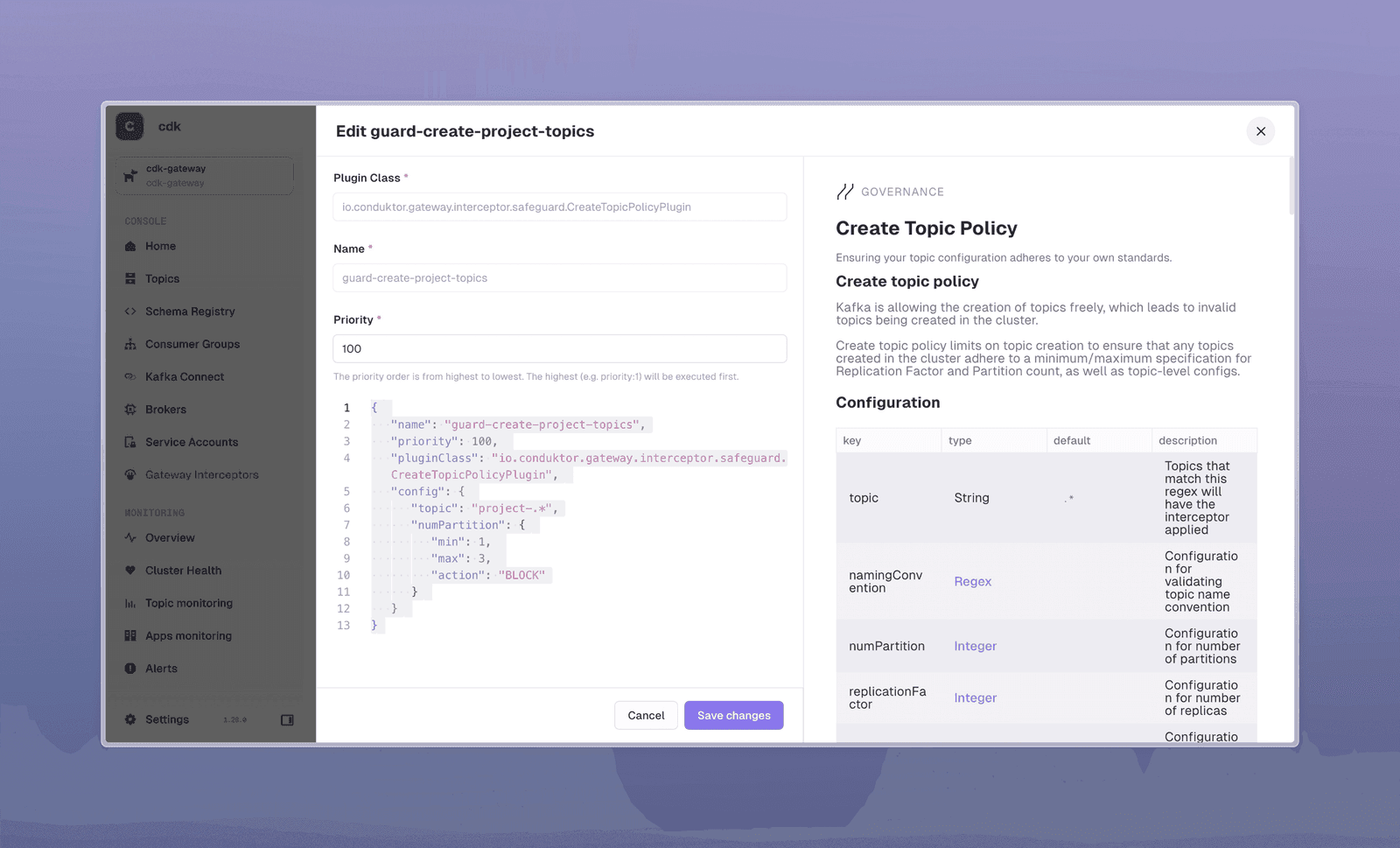
Click + Interceptor at top right, search for "create", and select "Create Topic Policy".
- Paste the copied configuration
- Change the interceptor name to avoid conflicts
- Remove the
"topic"field to apply globally to all topics - Click Deploy Interceptor
Now no one can create a topic with more than 3 partitions.
See the embedded documentation for more configuration examples, or explore Conduktor Gateway Demos.
No more topics with 5000 partitions or consumers losing data because they forgot acks=all.
Connecting Your Own Kafka Cluster
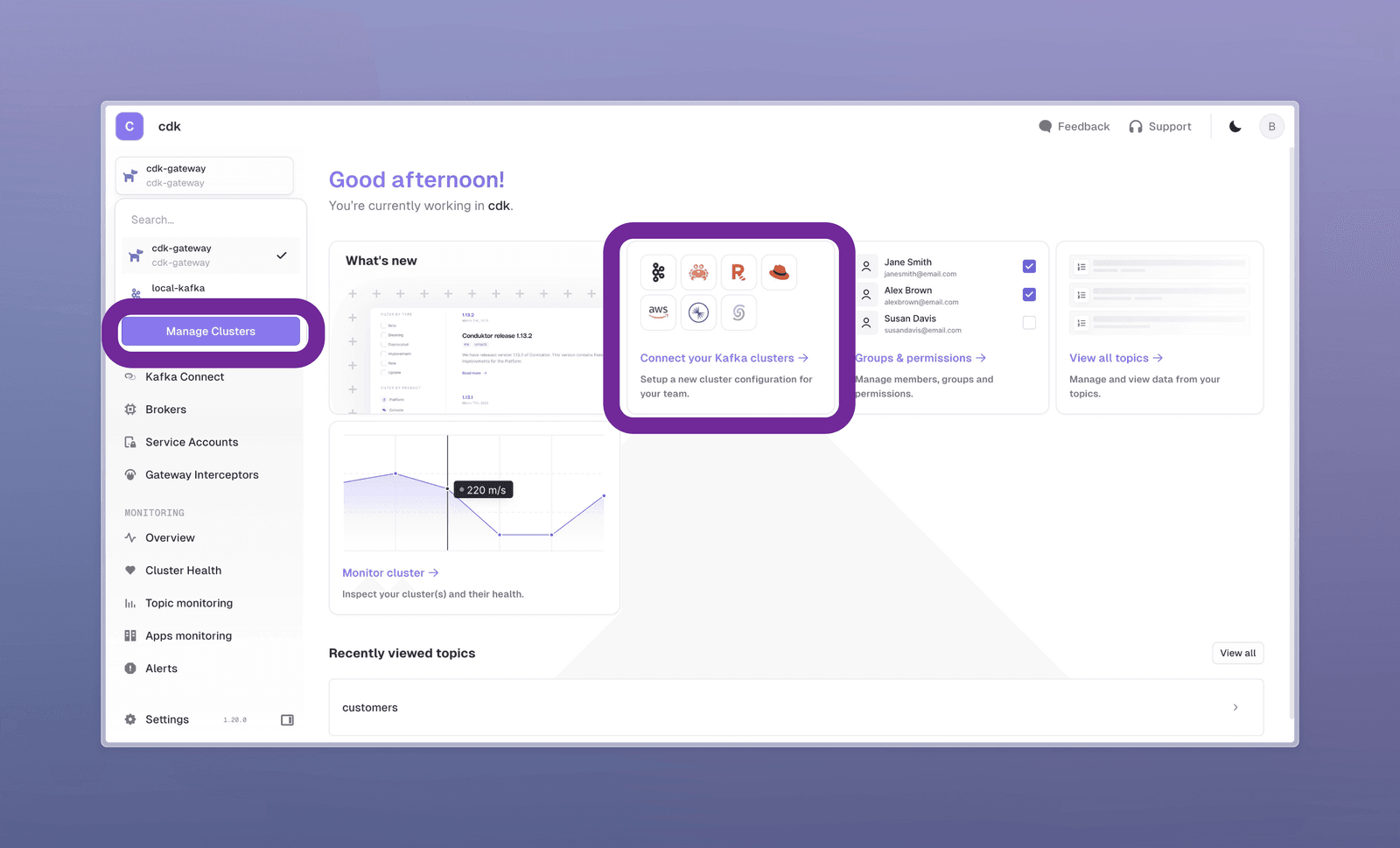
From the Home screen, follow Connect your Kafka clusters -> or select "Manage Clusters" from the cluster dropdown.
In the "Manage Clusters" panel, follow the instructions to add your cluster. Our guides provide step-by-step help.
To use interceptors on your cluster, deploy a Gateway connected to it. See our Docker deployment docs or the other deployment methods guide for LB and SNI options.
How Conduktor Works Under the Hood
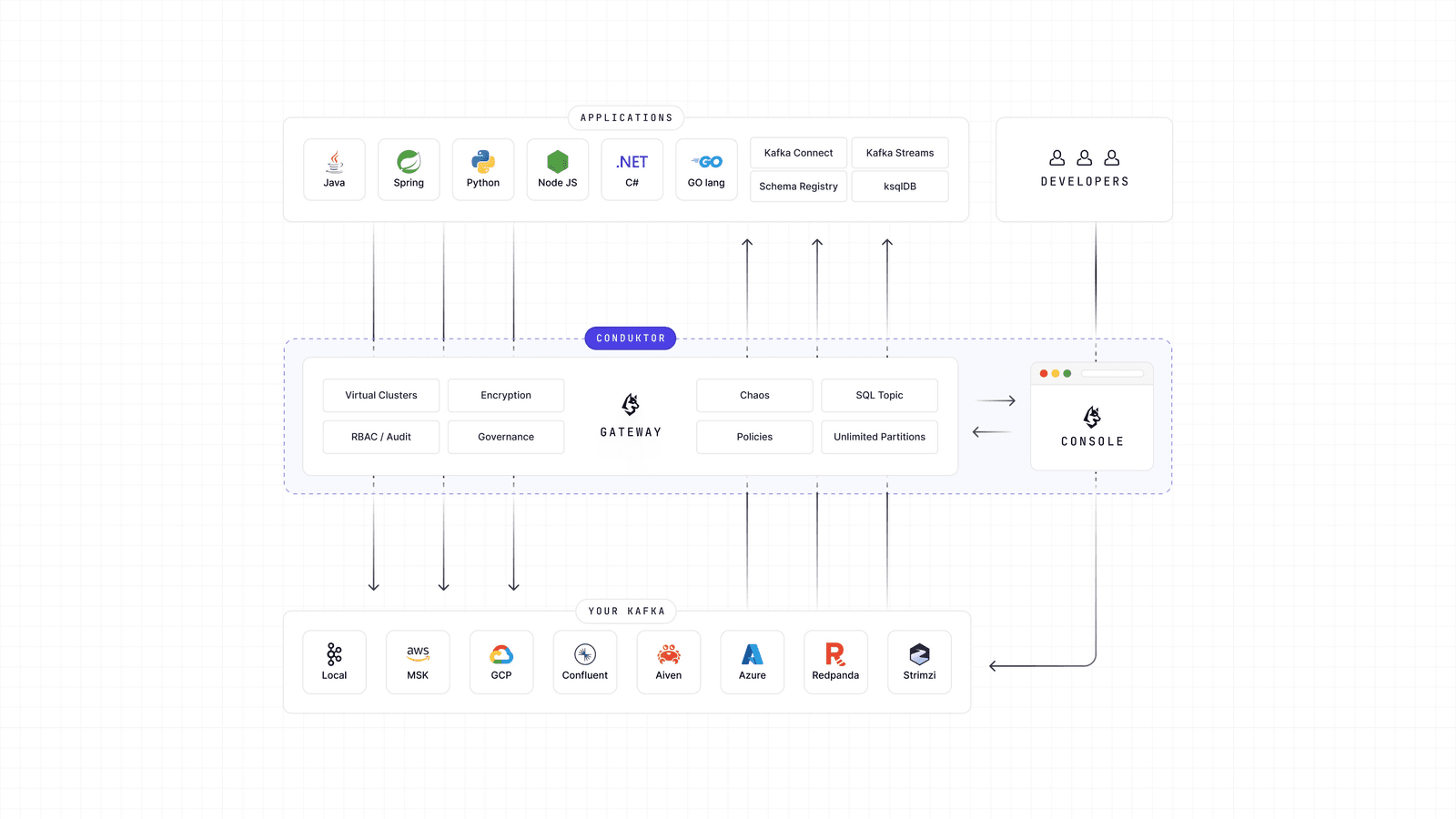
Conduktor has two components:
- A UI that connects directly to your clusters like any standard application
- A Kafka proxy between your applications and Kafka
Connecting your Kafka gives you all UI advantages. To extend these to all applications, connect them to Conduktor Gateway.
The proxy wraps your Kafka clusters, is fully Kafka-wire compatible, and requires no application changes. It works with Java, Spring, Python, and the Kafka CLI. Update bootstrap.server to point to a Gateway and continue normally.
Summary
This release adds an embedded Kafka cluster for quick exploration, plus encryption, masking, and safeguards that organizations need.
Get Started with Conduktor. Ready to go further? Book a chat with us.