July 2024
Cluster connections via CLI, shareable message URLs, and topic catalog details
Manage cluster connections as code. Link directly to individual Kafka messages. Document topics in the catalog.
Manage cluster connections via CLI
Deploy Console cluster connections using infrastructure as code with KafkaCluster, KafkaConnectCluster, and KsqlDBCluster resources.
---
apiVersion: console/v2
kind: KafkaCluster
metadata:
  name: cloud-kafka
spec:
  displayName: "Cloud Kafka"
  icon: "kafka"
  color: "#000000"
  bootstrapServers: "34.140.204.135:12092"
  properties:
    sasl.jaas.config: org.apache.kafka.common.security.plain.PlainLoginModule required username="admin" password="admin-secret";
    security.protocol: SASL_SSL
    sasl.mechanism: PLAIN
  schemaRegistry:
    url: http://34.140.204.135/registry/
    security:
      type: BasicAuth
      username: superUser
      password: superUser
See the Console Resources Reference for full definitions.
Generate API tokens on startup
The conduktor login command generates an API token using admin credentials, enabling full IaC deployments without UI access. See the docs.
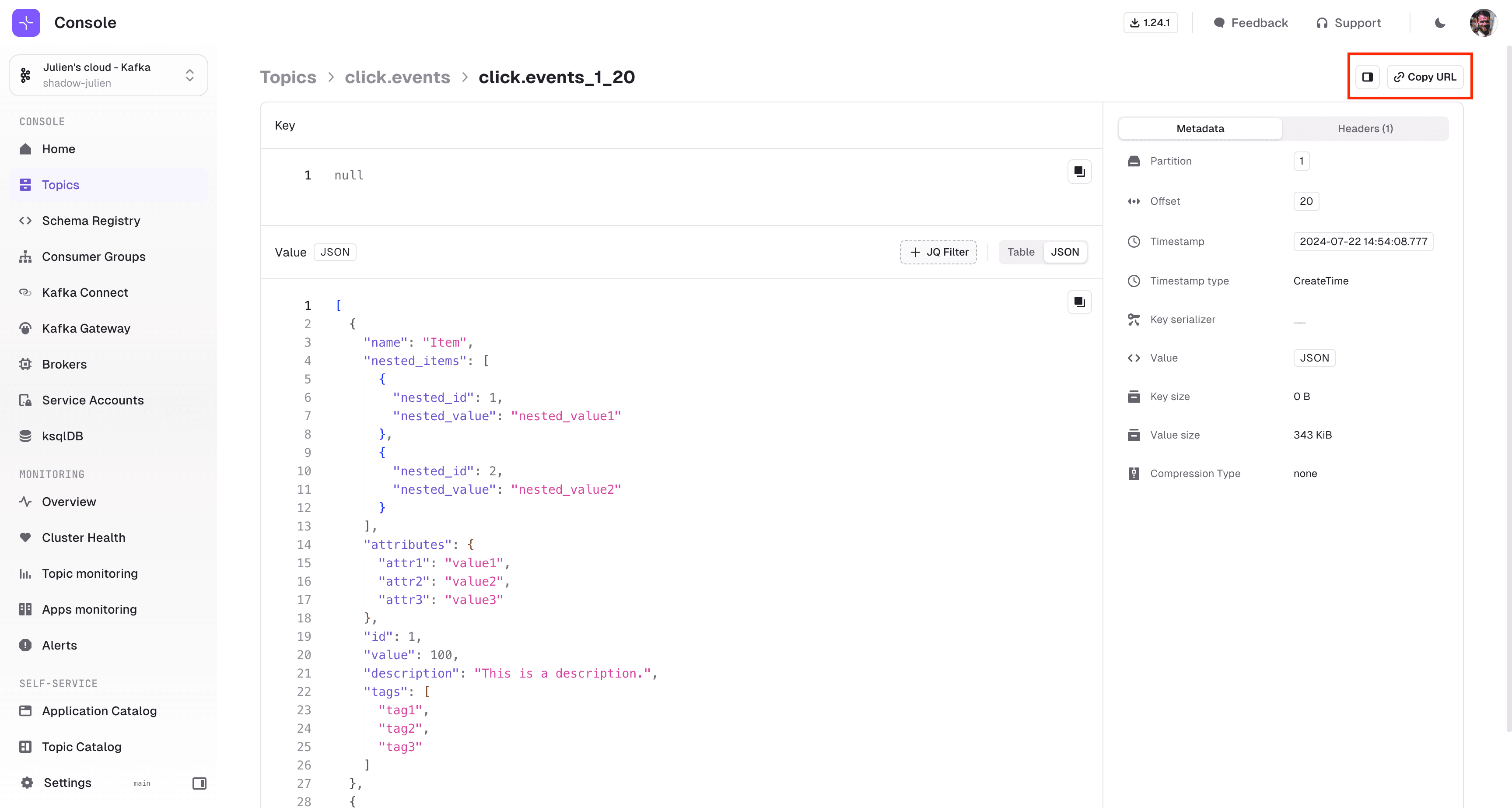
Link directly to individual messages
Individual messages have unique URLs. Share a link to a specific Kafka message for review or investigation.
The standalone message page shows key, value, metadata, and headers. Switch between JSON and table view, or filter with jq.
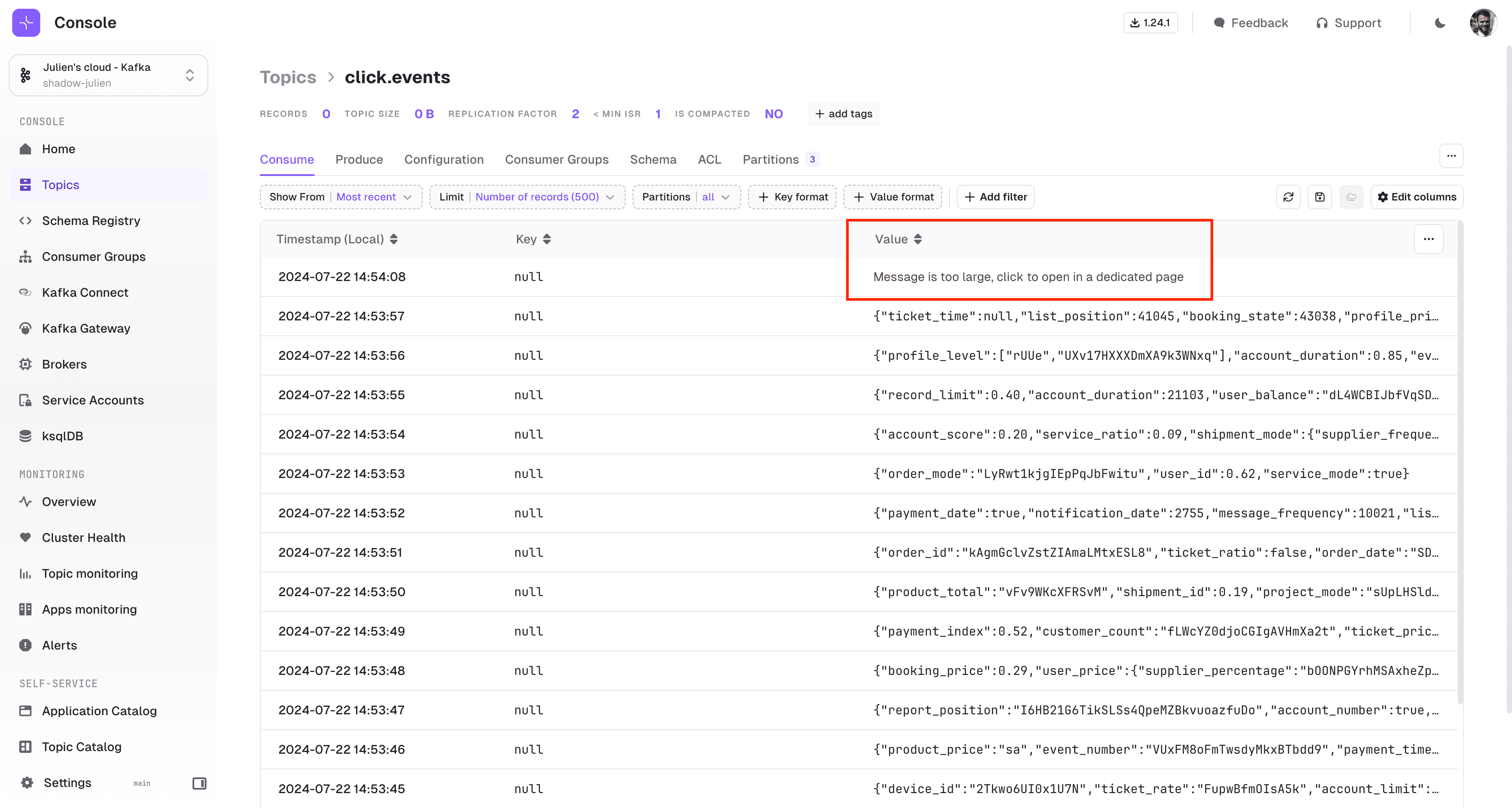
View large messages without performance issues
Messages larger than 100KB load on a separate page instead of the Consume page, avoiding browser performance issues.
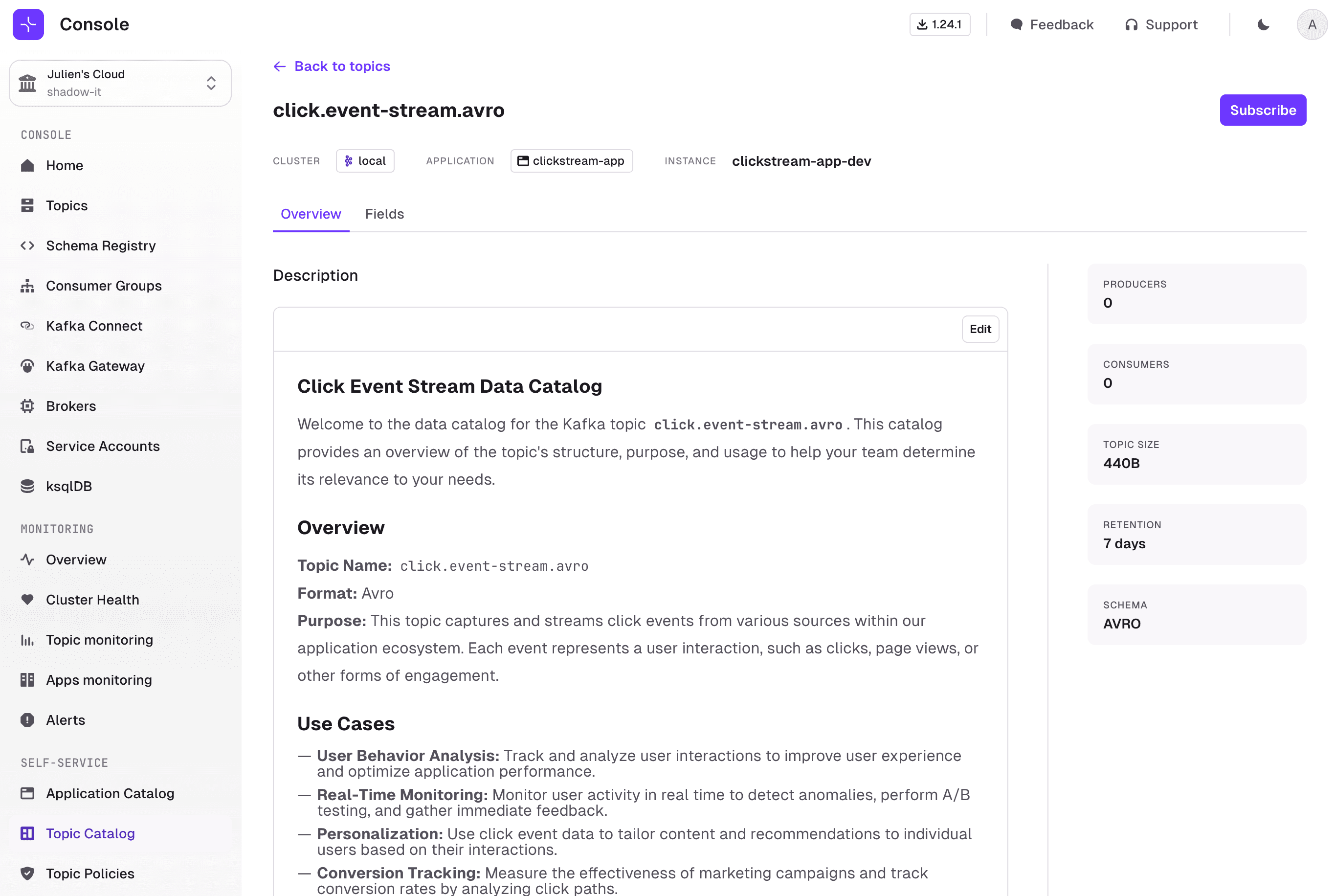
Document topics in the catalog
The Topic Details page shows contextual documentation about topics. Control whether descriptions can be edited in the UI using annotations. See the Topic Resource documentation.
View user last login dates
The Settings > Users page shows a 'Last login' column. Login events are also captured in the Audit Log.
For a full list of changes, read the complete release notes.