5 Kafka Configuration Mistakes That Kill Performance and How to Fix Them
Master Kafka performance: partition sizing, SerDe optimization, dual-write solutions, tombstones, and producer tuning for robust applications.


Apache Kafka powers most distributed streaming platforms and real-time data pipelines. Getting these five things right determines whether your Kafka applications scale smoothly or collapse under load.
1. How Partition Count Breaks Parallelism and Resource Utilization
Partition count is one of the most impactful decisions you will make. Get it wrong in either direction and you will hit performance walls.
Too few partitions causes:
- Limited parallelism: Kafka achieves high throughput by allowing multiple consumers to process messages in parallel across partitions. Fewer partitions means fewer consumers can work simultaneously, reducing throughput.
- Wasted broker resources: Partitions distribute across broker nodes. With too few partitions, brokers sit idle while others are overloaded.
- Scaling ceiling: You cannot have more active consumers than partitions. Too few partitions limits how far you can scale your consumer group.
Too many partitions causes:
- Metadata overhead: Each partition requires offset tracking, replication status, and leader election coordination. This consumes storage and memory.
- Higher latency: More partitions means more coordination overhead during rebalancing and more file handles to manage.
- Operational burden: Monitoring and maintaining thousands of partitions becomes error-prone and time-consuming.
The right number depends on your expected throughput, consumer scalability needs, and cluster capacity. Monitor partition metrics and adjust based on actual workload.
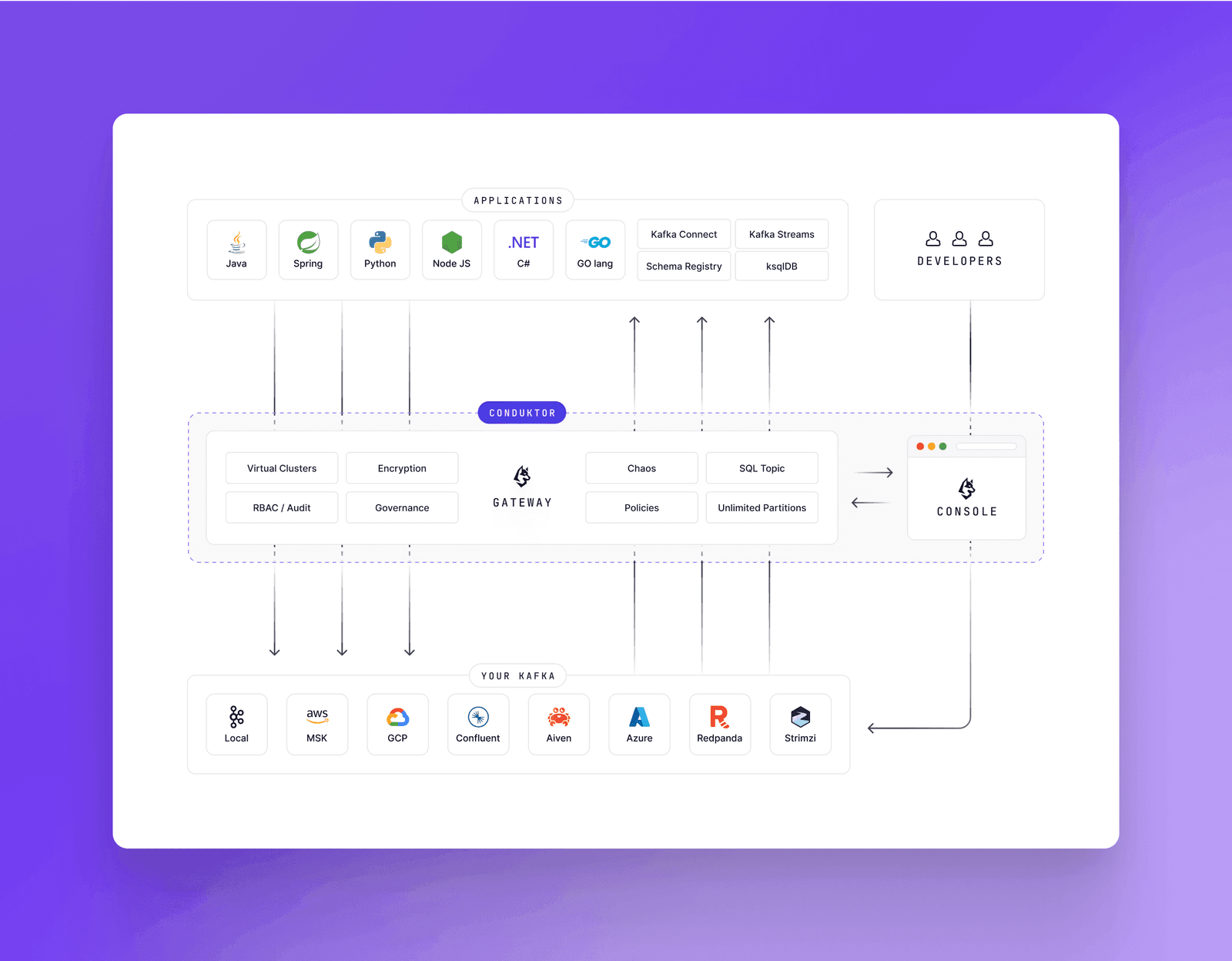
Conduktor enforces topic limits at creation time, preventing partition count mistakes and reducing infrastructure costs.
2. Why Serialization Format Choice Determines System Maintainability
Kafka treats messages as opaque byte arrays. Your serialization choices determine whether your system stays maintainable as schemas evolve.
Choose the right format for your constraints:
- Space and processing time: JSON is human-readable but verbose. Avro and Protocol Buffers are compact and fast. Pick based on whether you need debuggability or efficiency.
- Cross-client compatibility: Producers and consumers must use compatible serialization libraries. A Python producer and Java consumer both need to understand the same format and version.
- Schema evolution: Plan for field additions, removals, and default value changes. Understand backward compatibility (old consumers read new messages) and forward compatibility (new consumers read old messages).
Optimize for production:
- Use compact formats like Avro or Protobuf combined with compression (GZIP, Snappy) to reduce network bandwidth.
- Implement robust error handling during serialization. Route malformed messages to a dead letter topic for later recovery.
- Validate incoming messages against expected schemas to catch corrupt data before processing.
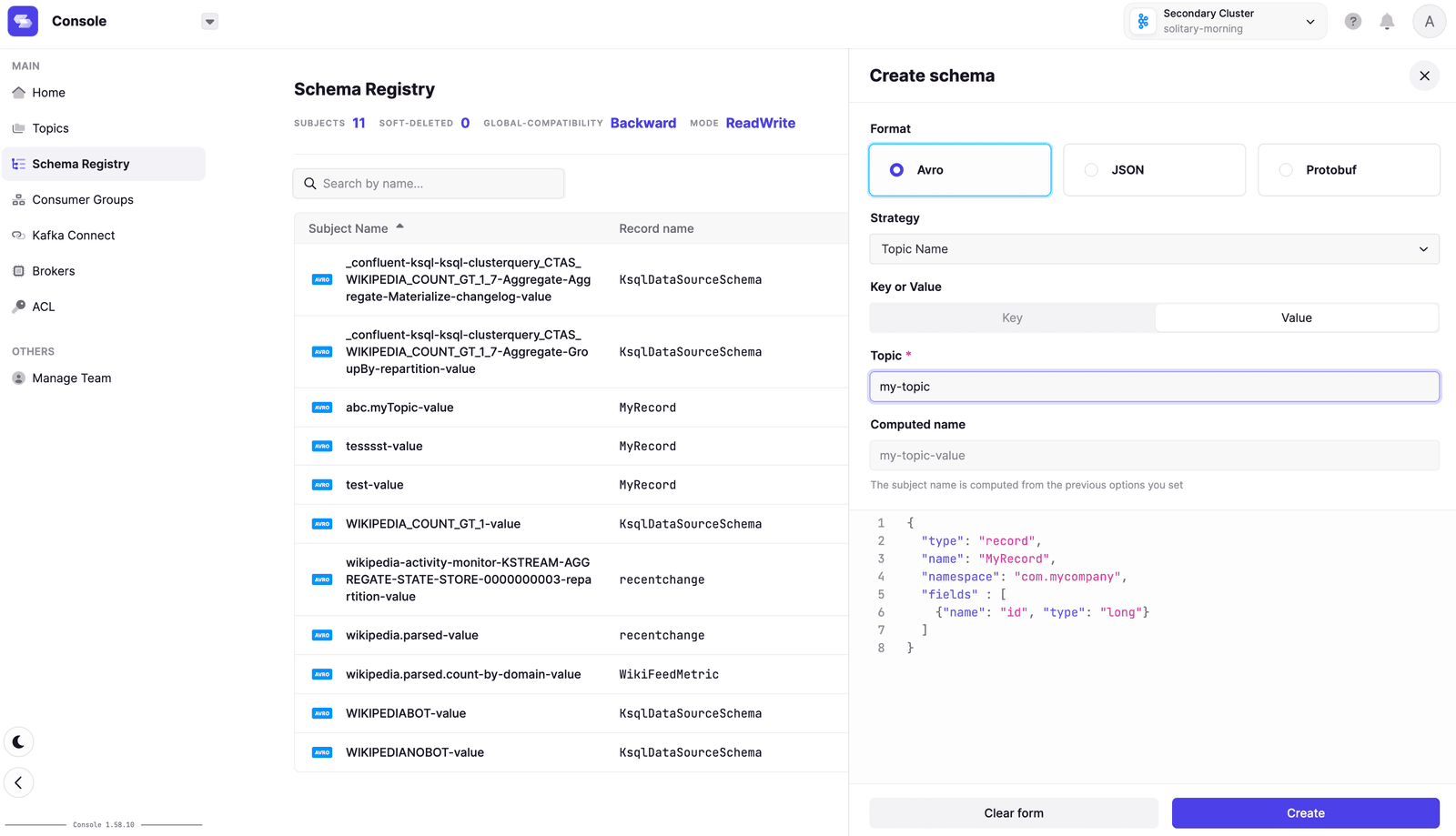
Use a schema registry. Conduktor works with all major registries including Confluent, AWS Glue, and Aiven.
3. The Transactional Outbox Pattern Solves Dual-Write Inconsistency
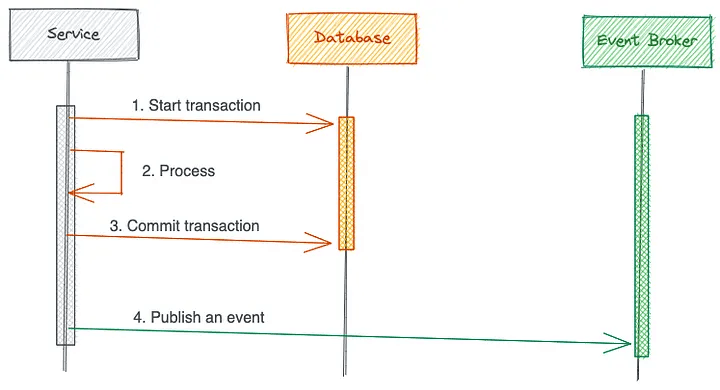
Dual writes cause data inconsistency. When a service updates a database and publishes to Kafka, partial failures leave systems out of sync. If the database commit succeeds but Kafka publish fails, your systems disagree about reality.
The Transactional Outbox pattern solves this by making the database the single source of truth:
- Write changes to your source table and an Outbox table within a single database transaction
- A separate process polls the Outbox table and publishes events to Kafka
- Either both writes succeed or neither does
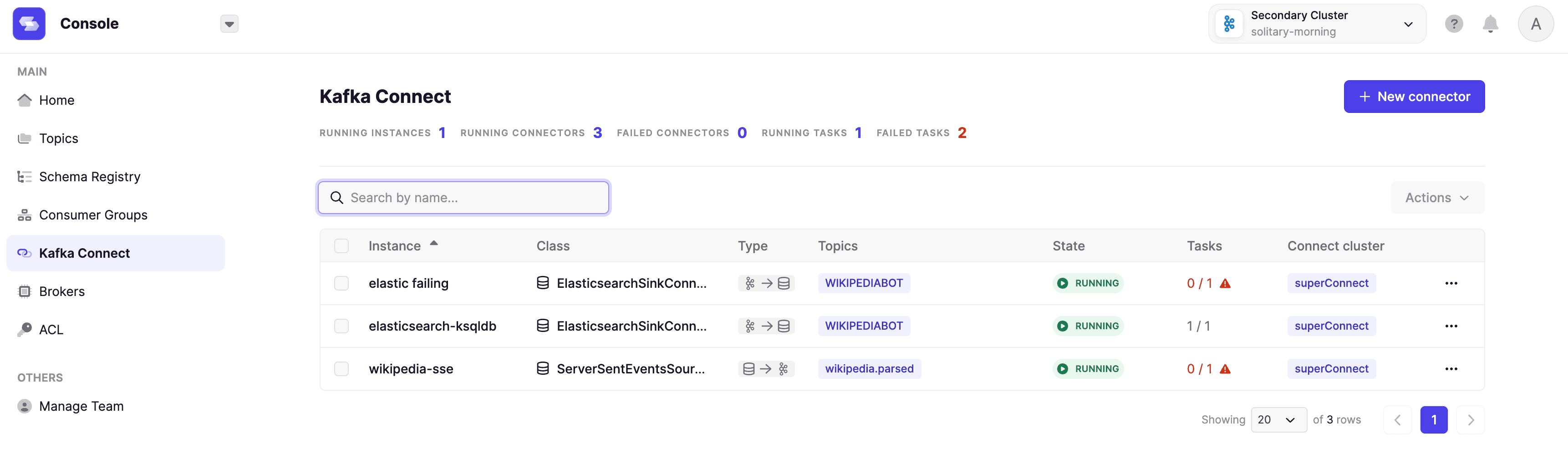
Change Data Capture tools like Debezium implement this pattern by capturing database changes and producing them as Kafka events. This keeps Kafka and downstream systems synchronized.
High-availability scenarios add complexity. See this detailed analysis of Debezium with PostgreSQL replication for edge cases you will encounter.
Proper tooling for monitoring, troubleshooting, and auto-restarting failed connectors is essential.
4. Tombstones: How Kafka Handles Record Deletion
Log compaction (cleanup.policy=compact) retains only the latest value per key. A message with a key and null payload is a tombstone, a delete marker.
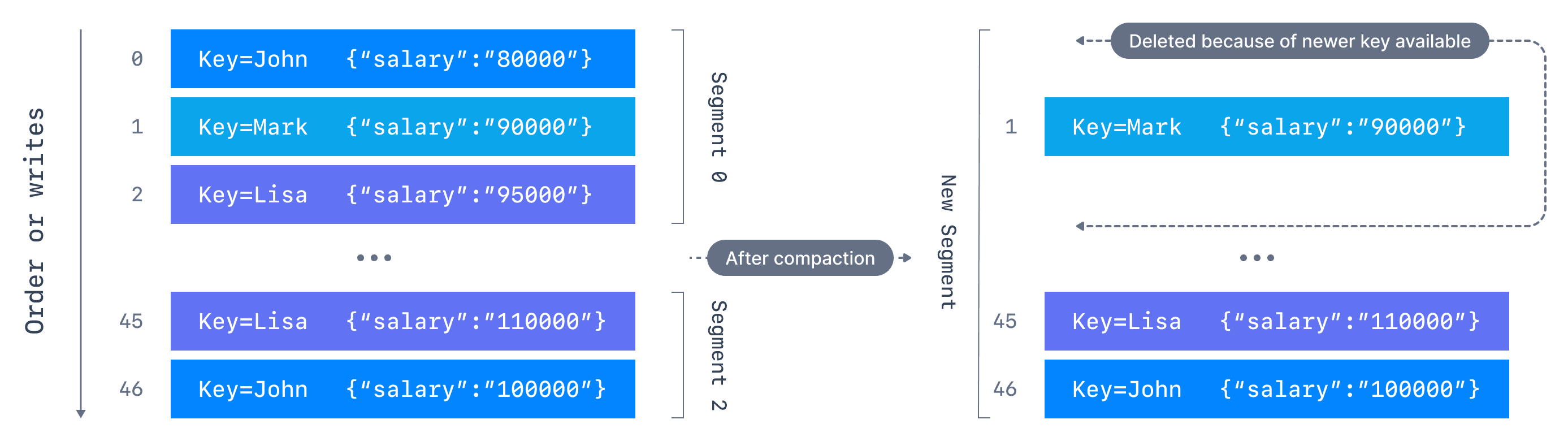
Tombstones remove all prior messages with that key. After a retention period, Kafka removes the tombstone itself to free space.
Your consumers must handle tombstones correctly:
- Remove data from internal stores or caches (Kafka Streams state stores)
- Propagate deletions to downstream systems via their APIs
Configure min.cleanable.dirty.ratio to control how long tombstones remain before compaction. Give consumers enough time to process them before they disappear.
See Kafka Options Explorer and compaction documentation for configuration details.
5. Producer Configuration Settings That Actually Matter
Producer configuration directly impacts throughput, latency, and reliability.
Use asynchronous sends: If you call kafkaFuture.get() after every send, you are blocking. Asynchronous sends let the producer continue processing without waiting for broker acknowledgment.
Enable batching and compression: batch.size and linger.ms control how messages are grouped before sending. Larger batches reduce network roundtrips. compression.type (GZIP, Snappy, LZ4) reduces data transfer and storage costs with minimal CPU overhead.
Handle backpressure: When brokers cannot keep up with your send rate, you need to detect and respond. Monitor broker response times and adjust send rates accordingly.
Configure buffer sizes: buffer.memory controls how much memory the producer uses for unsent messages. Too small causes blocking. Too large wastes memory.
Control in-flight requests: max.in.flight.requests.per.connection limits concurrent requests to brokers. Lower values prevent overwhelming brokers but reduce throughput. See Alpakka's flow control implementation for advanced patterns.
Conduktor enforces producer configuration policies across your organization without requiring code changes.
Summary
These five areas determine Kafka application reliability: partition sizing, serialization format, dual-write handling, tombstone processing, and producer tuning.
Kafka ecosystems grow complex quickly. Conduktor enforces best practices at the infrastructure level, preventing misconfigurations before they cause production incidents.
Contact us to discuss your use cases. Download Conduktor Gateway (open source) and browse our marketplace for available features.