Desktop vs Console: Why Centralized Kafka Management Wins
Migrate from Desktop to Console: centralized deployment, RBAC, field-level masking, audit logs, SSO, monitoring—enterprise Kafka UI advantages.

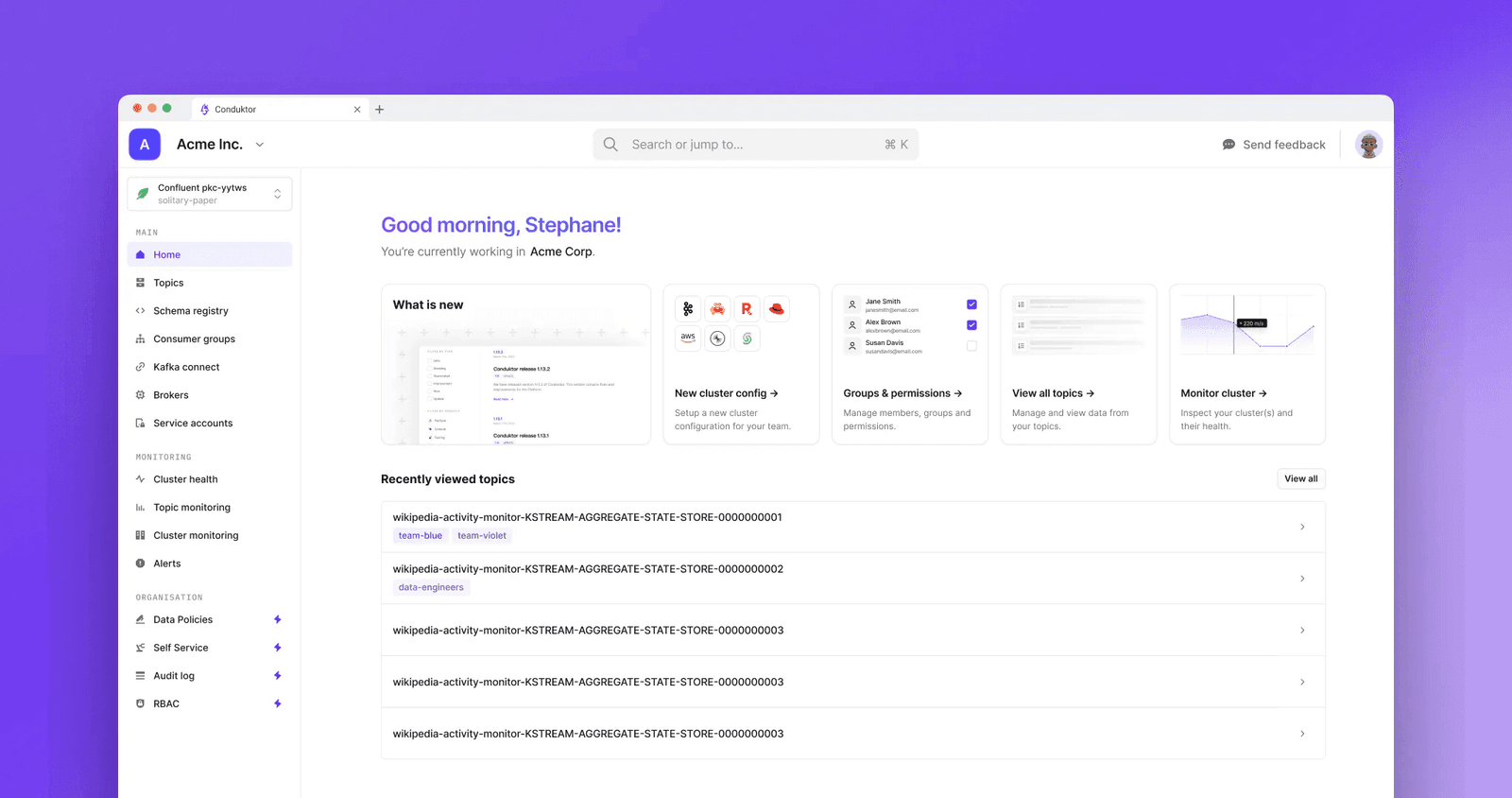
You're a Desktop customer wondering if Console is worth the migration effort. Desktop works. Your core business needs your attention. Fair enough.
Here's why Console is the better choice for organizations serious about Kafka.
Single Deployment Eliminates Per-User Maintenance
Desktop requires installation on every user's machine. Every patch means every user must manually upgrade. Performance suffers from extra network hops between user machines and clusters. Bastion hosts make it worse.
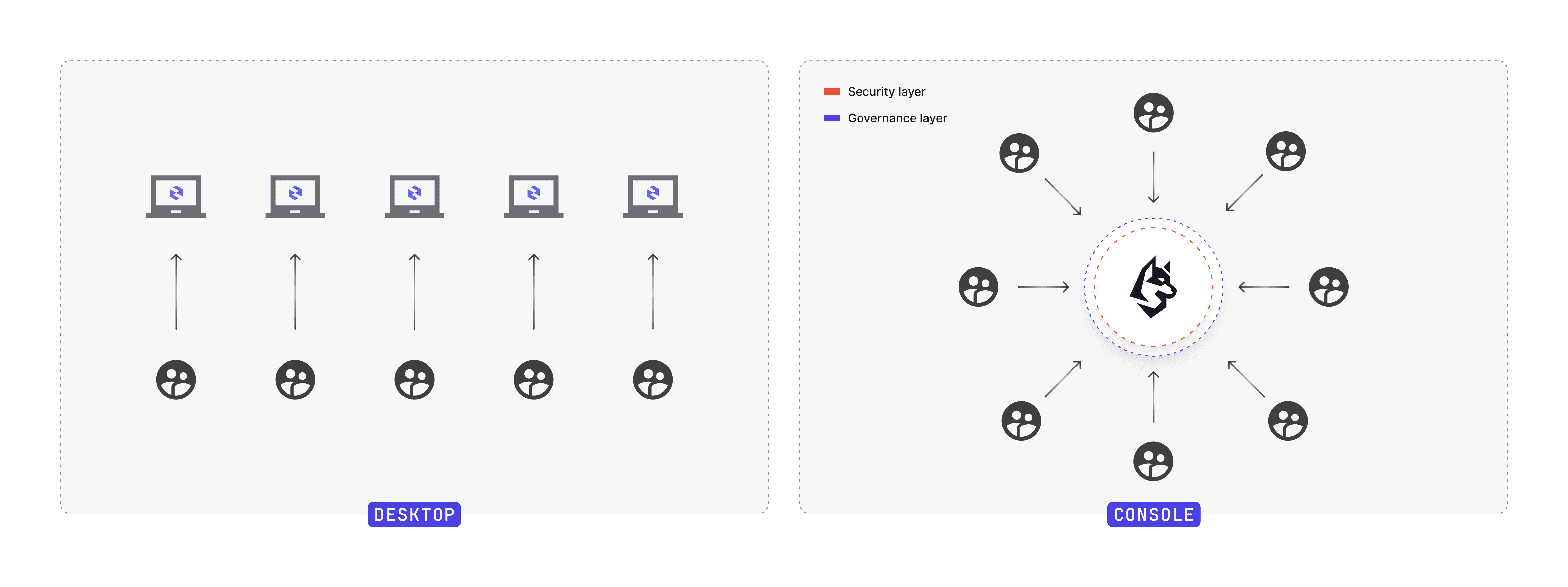
Console runs as a single, centralized deployment. SSL/TLS certificates are managed once, not per-user.
- One source of truth
- One deployment to patch/upgrade
- Full visibility of user activity
Deploy it inside your VPC, close to your clusters. Performance improves immediately.
Quick-starts exist for Docker and Helm chart for Kubernetes.
Modern React Interface Replaces JavaFX
Console is our second-generation interface. React beats JavaFX for web applications. The Conduktor Design team optimizes the Console for speed and usability.
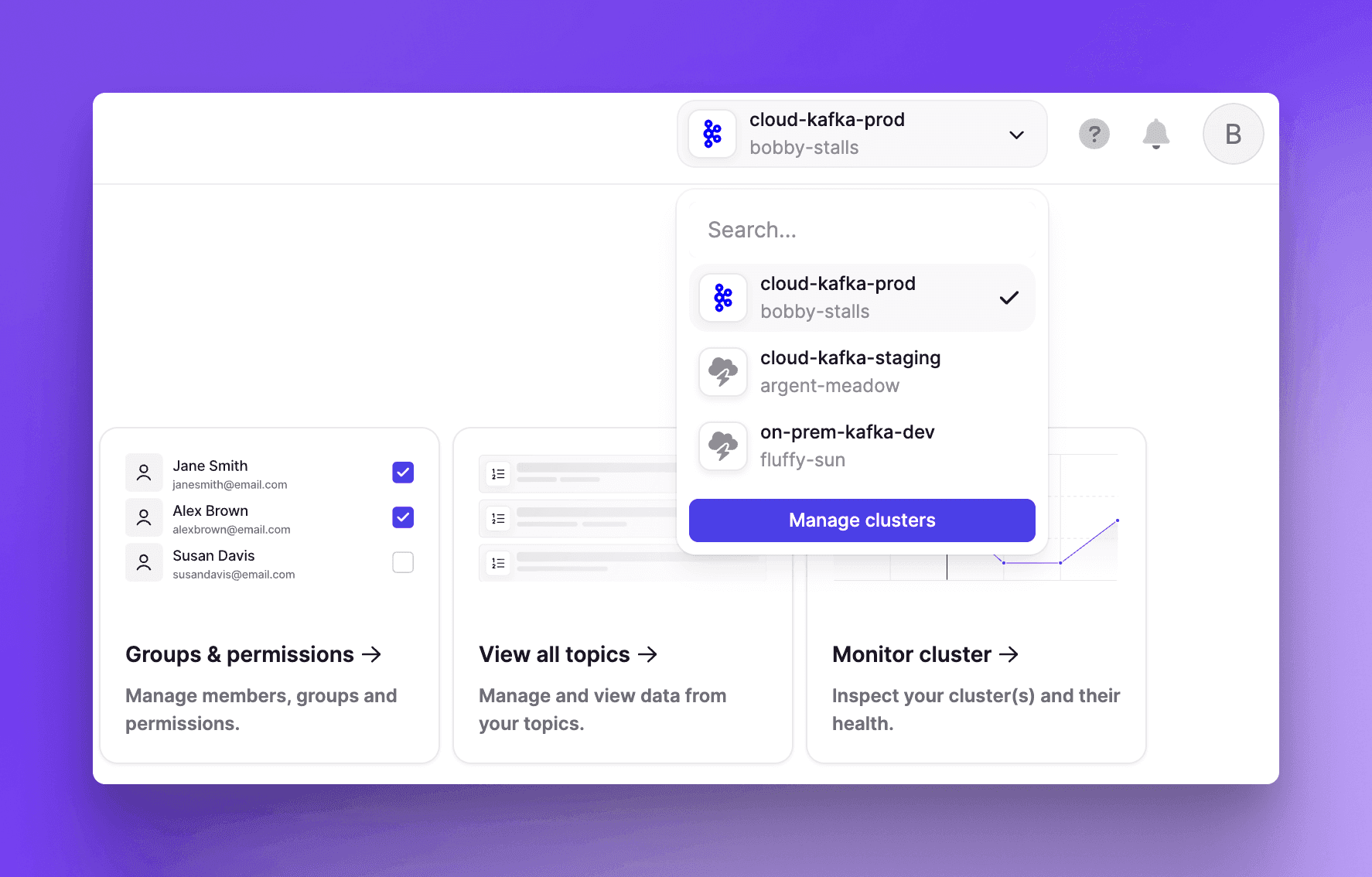
Faster Cluster Switching
Switch between dev, staging, and prod clusters with a dropdown. Desktop requires three actions: load the cluster view, exit the window, select a different cluster from main navigation.
Web interfaces support multiple tabs. Work with several clusters simultaneously. Desktop cannot do this.
Built for Teams, Not Solo Developers
Web-based architecture enables:
- Live updating time-series graphs
- Automation that reduces manual intervention
- Shared views and filters for collaboration
- Metadata tagging for resource ownership
- Integrations with third-party apps and identity providers
Kafka is organizational software. Console treats it that way. Desktop was built for individual developers.
All new feature development targets Console. Desktop receives only maintenance support.
Granular RBAC Beyond Topic-Level Permissions
Desktop's RBAC is limited to topic-level permissions.
Console supports resource-based permissions for users and groups on:
- Clusters (ACLs, Registry Compatibility)
- Topics
- Subjects
- Consumer Groups
- Connectors
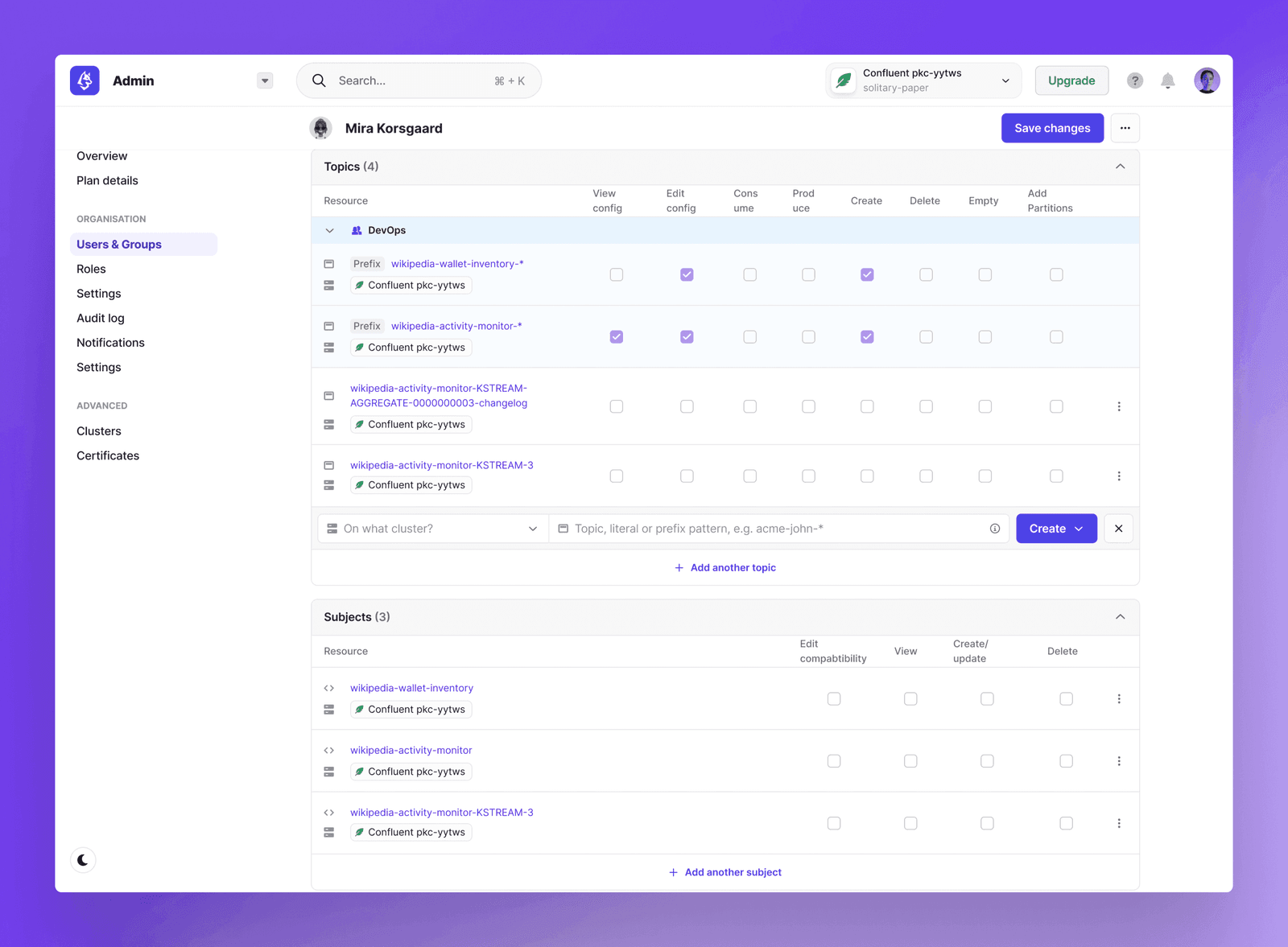
Software Developers, Product Owners, and Data Engineers get least-privilege access matching their responsibilities.
Field-Level Data Masking for Production Debugging
RBAC controls access to resources but not data within topics.
Team A needs production topic access for debugging but cannot see sensitive customer data. Console solves this with field-level obfuscation.
Grant Team A production access while masking specific fields: emails, addresses, credit cards.
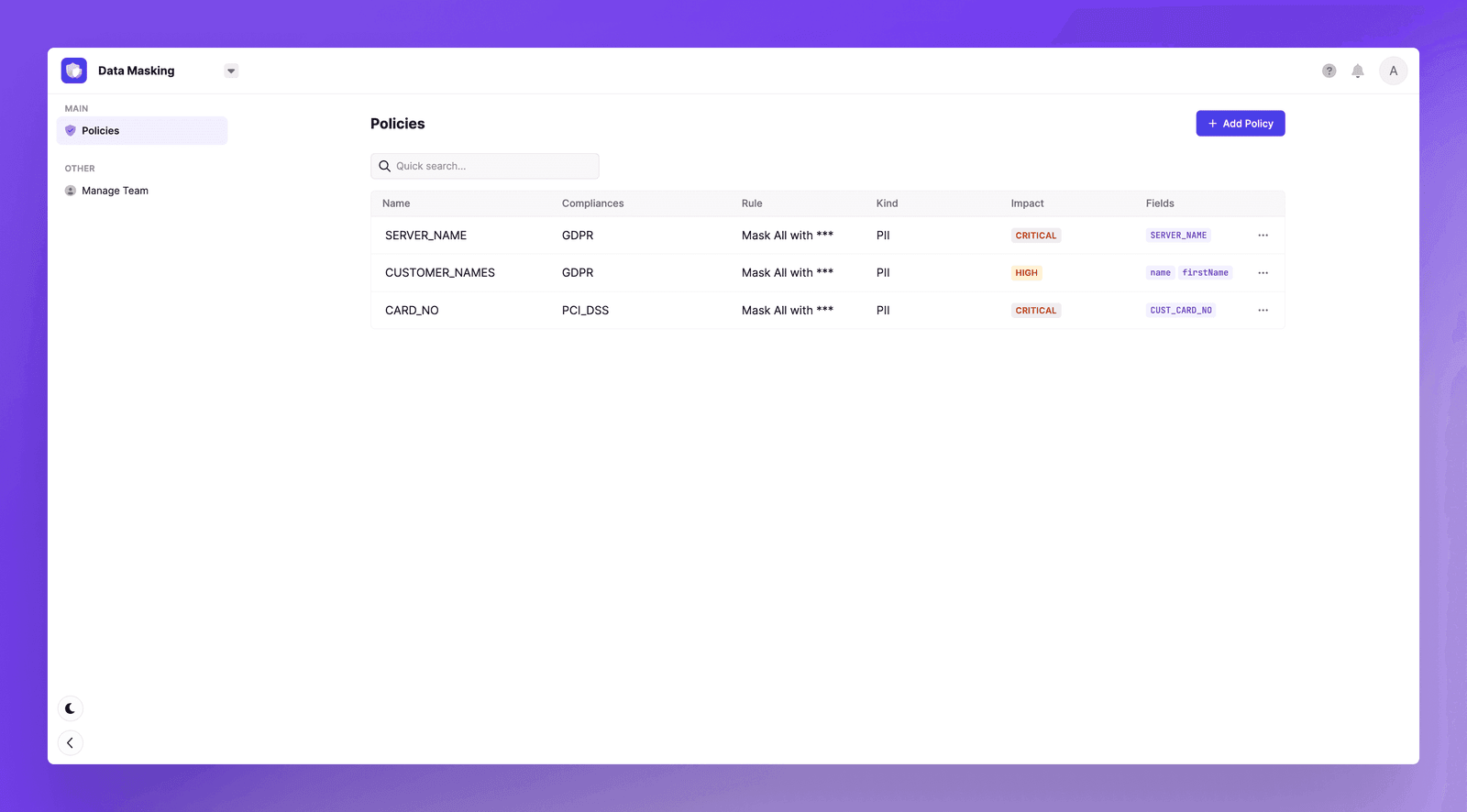
Policies work across multiple clusters. Exclude specific users or groups from global rules when needed. Sensitive data stays protected without blocking debugging work.
Complete Audit Trail for All Actions
Desktop has no organizational traceability. No record of who did what, when, or how.
Console logs all user-related and resource-related events. This is required for operational auditing, governance, and compliance.
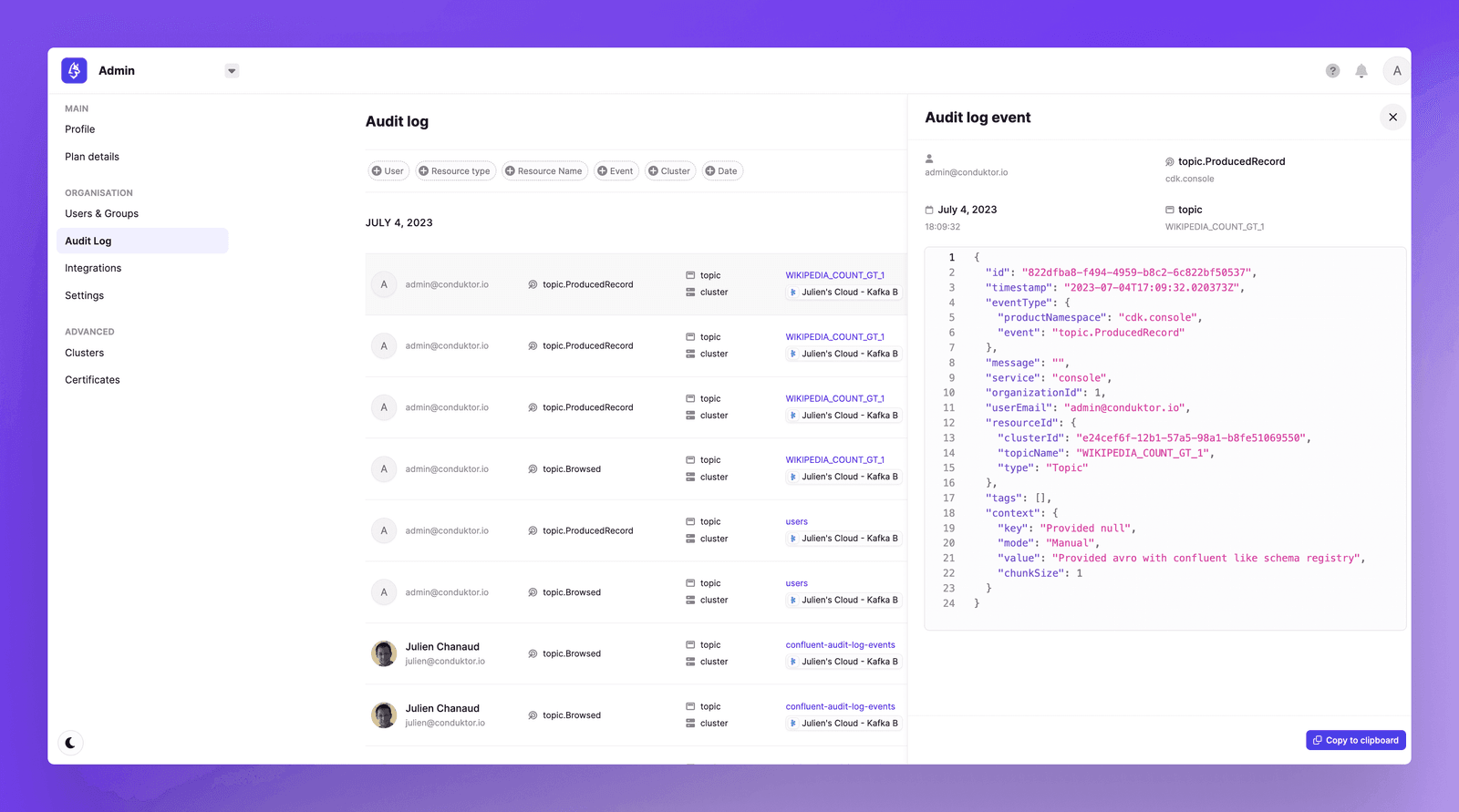
Every operation shows: who performed it, which resources were affected, when it happened, and relevant context. Filtering tools help search and analyze logs quickly.
Full SSO Support Including Offline Authentication
Both Desktop and Console support Single Sign-On. The difference is in protocol support.
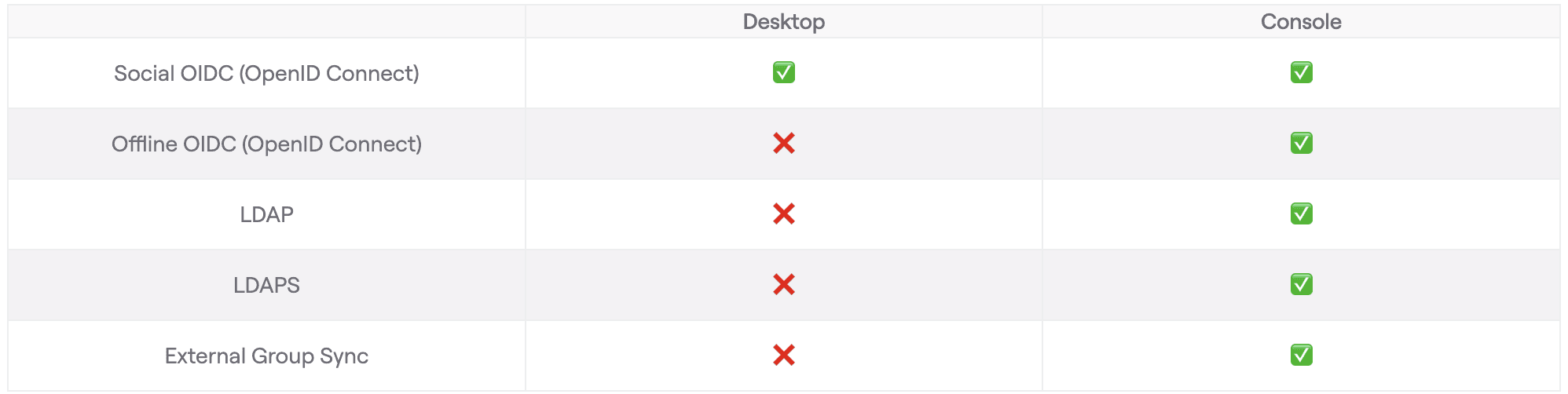
Desktop does NOT support offline SSO. This is a dealbreaker for many organizations.
Console provides external group synchronization. Link Conduktor groups to IdP groups. Users inherit permissions automatically. Remove IdP membership and Conduktor access revokes.
Slack and MS Teams Alerts
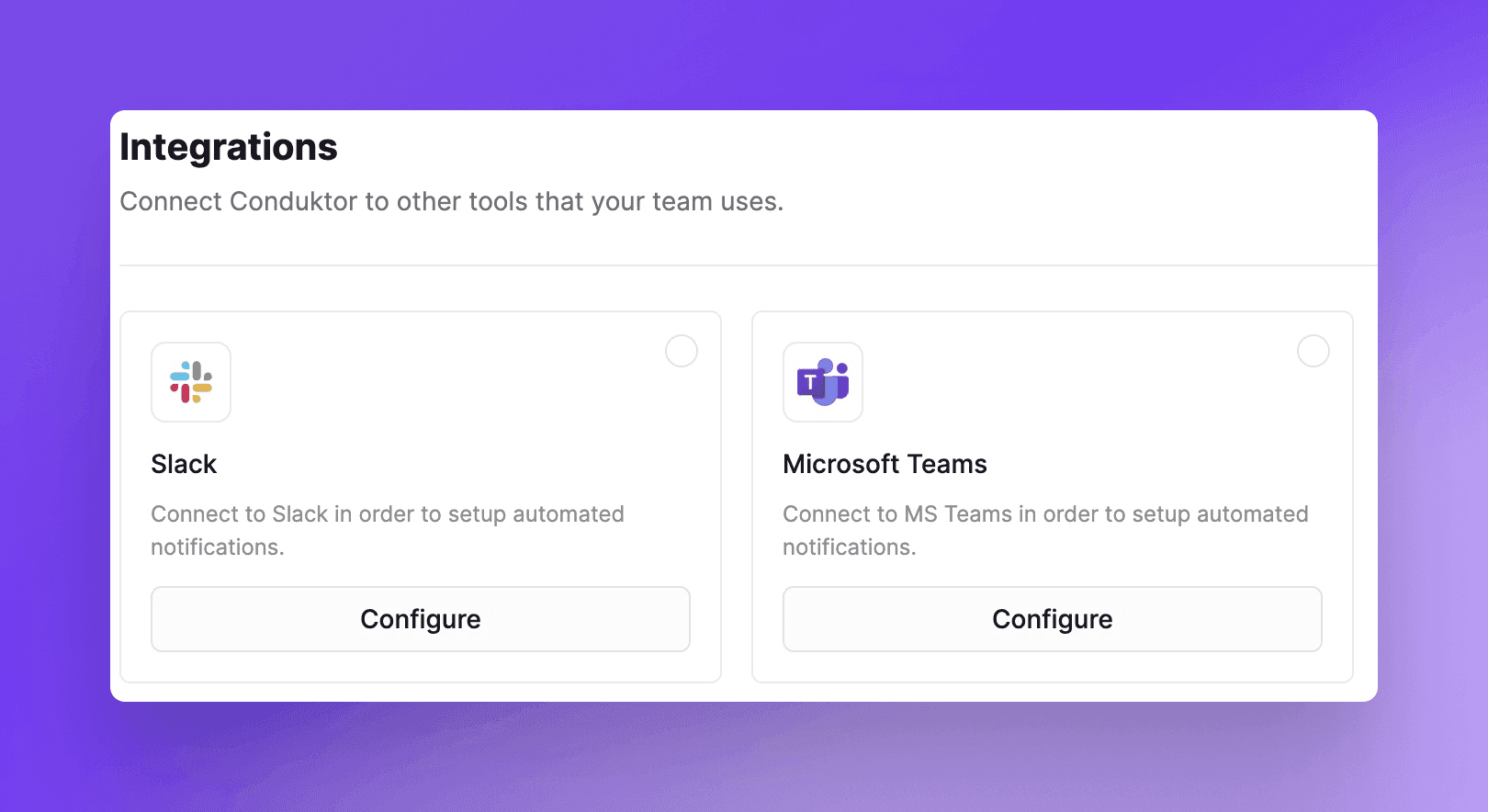
Console sends real-time notifications: lagging consumer groups hitting thresholds, under-replicated partitions.
Integrate with MS Teams or Slack. Reduce Mean Time To Resolve.
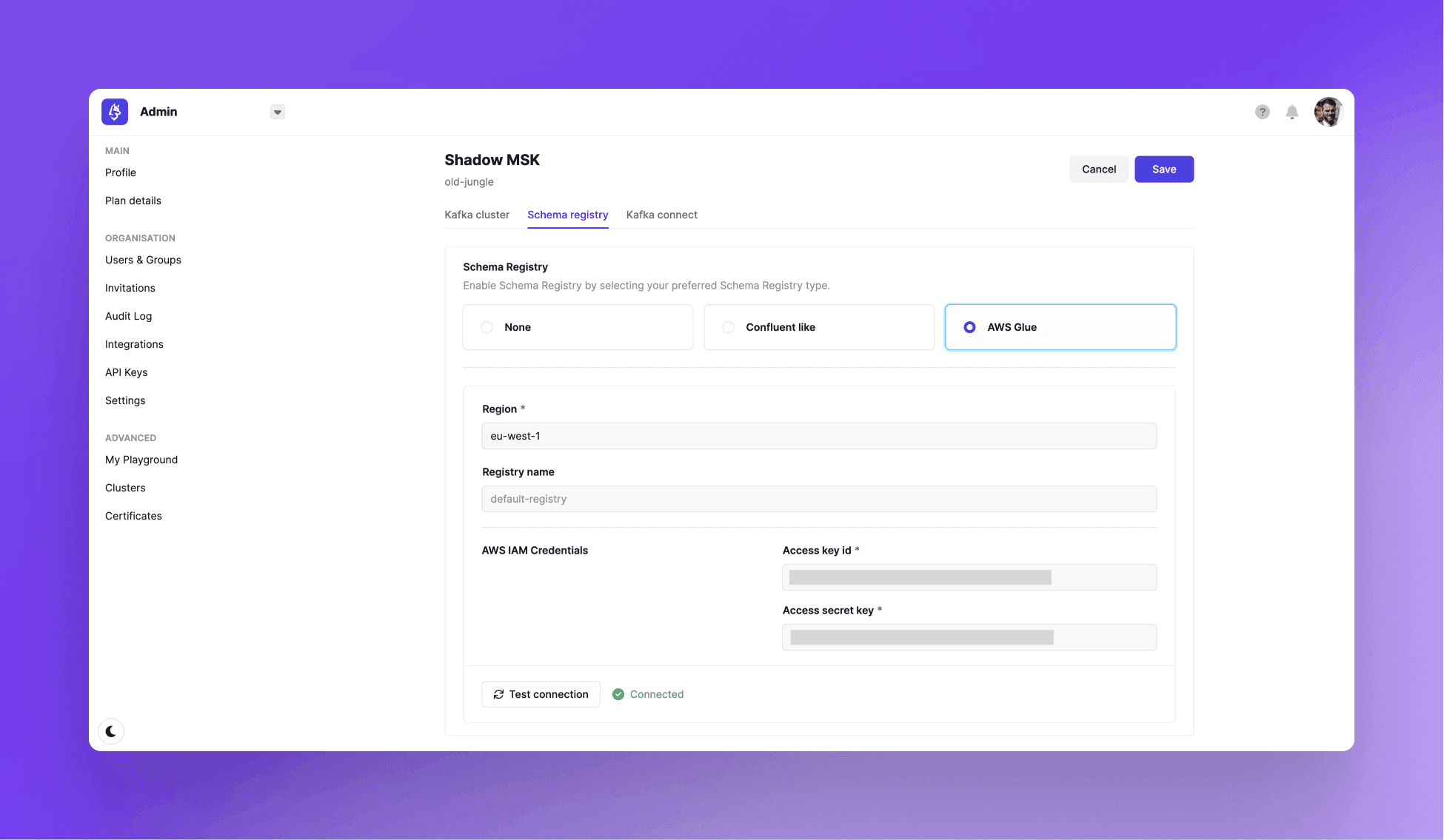
Complete AWS Integration
Desktop supports basic AWS IAM for cluster connections and Glue Registry deserializer.
Console provides full AWS integration:
- Connect to MSK using IAM credentials from the deployment environment or custom Access Key and Secret
- Manage AWS Glue Schema Registry: create, update, delete schemas, change compatibility mode
Read the AWS Big Data Blog post for deployment details.
Gateway Integration for Data Policies
Console integrates with Conduktor Gateway, a Kafka proxy between client applications and clusters.
Gateway interceptors apply business and technical rules to produced and consumed data. An Open-Source version with its marketplace exists, plus an Enterprise version for production.
Configure centralized encryption in one minute, regardless of programming languages used by producers.
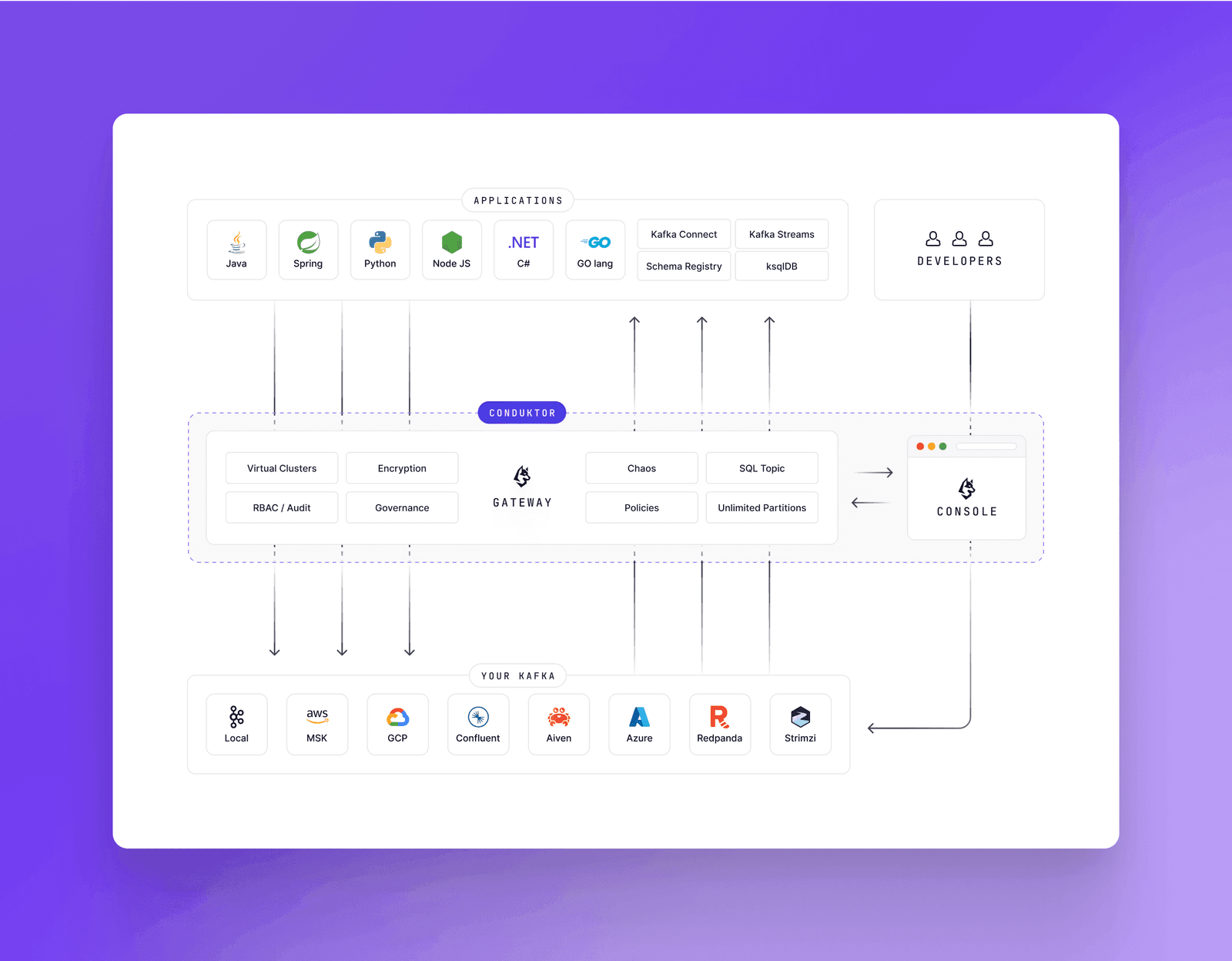
Console is the control plane for both Kafka and Gateway. Deploy and manage Gateway interceptors from the same interface.
Example: Test application resilience with Gateway's chaos interceptor. Simulate slow brokers, leader election errors, invalid Schema IDs. A few clicks in Console throws chaos engineering tactics at your applications.
Read more about Gateway for the full picture.
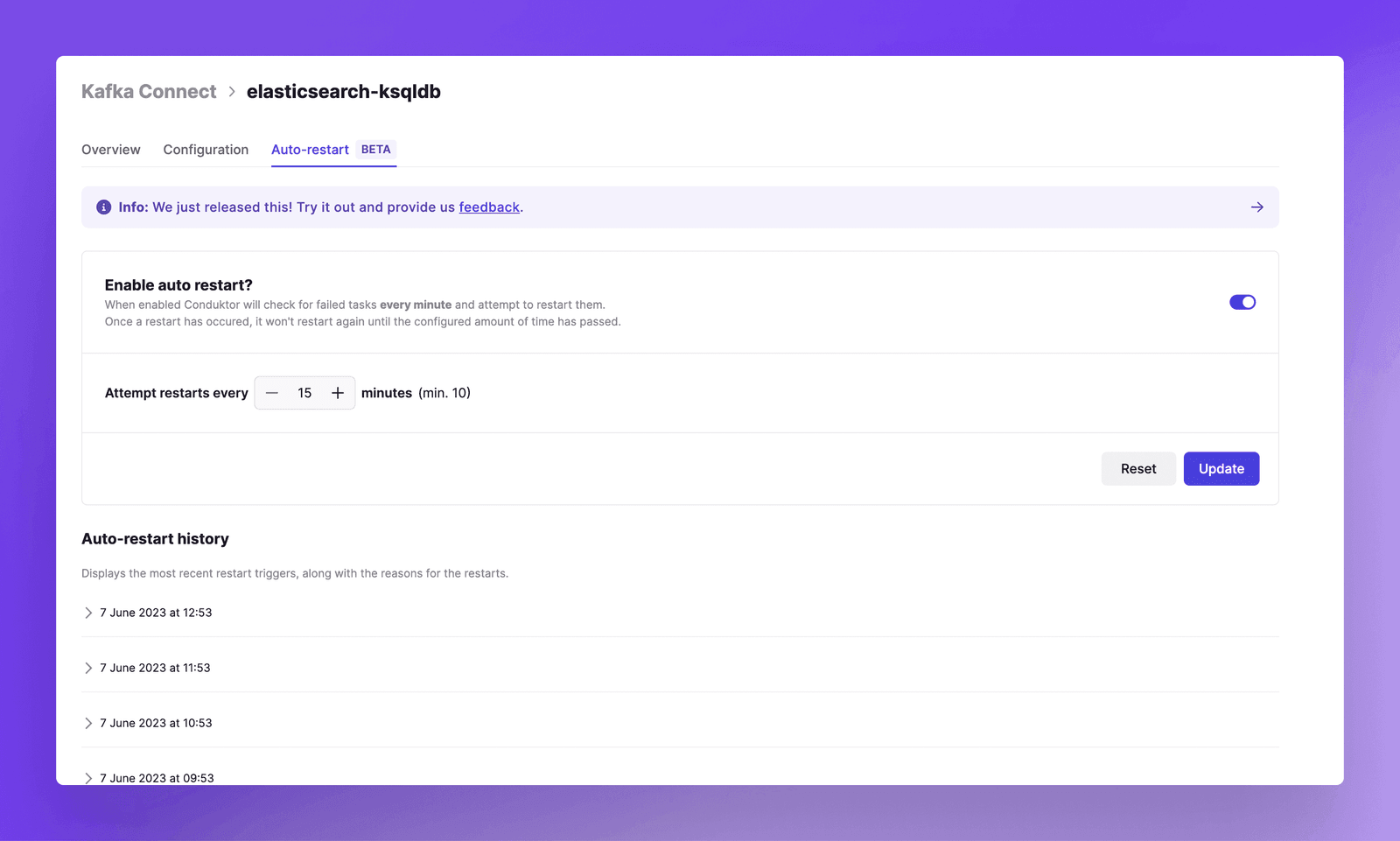
Automatic Connector Restarts
Debezium, JDBC, Elasticsearch connectors fail. Network issues, source system timeouts, random failures. This is normal.
Console restarts them automatically and notifies you via Slack or MS Teams.
Built-In Monitoring and Alerting
Consumer lag impacts end-user experience and revenue.
Monitor these to ensure healthy streaming:
- Streaming application performance
- Cluster health
Monitoring should not be Ops-only. Product teams own their applications. Console provides embedded monitoring and alerting.
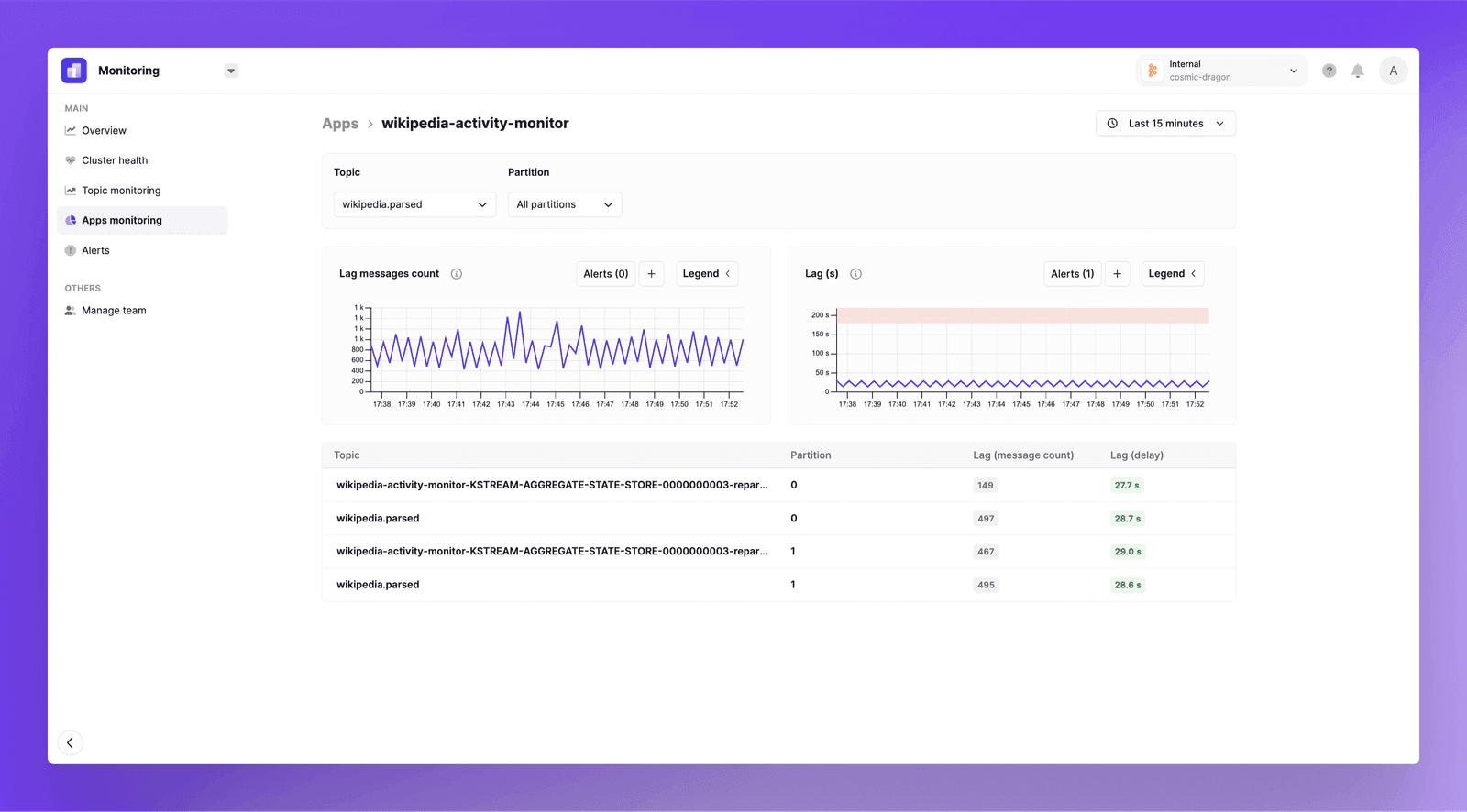
Desktop shows metric snapshots. Console shows time-series graphs with history.
Console runs periodic cluster health checks:
- Under-Replicated Partitions
- Active Controllers
- Min In-Sync-Replicas
- Unclean Elections
- Offline Partitions
No agent configuration required. Built-in alerts trigger when thresholds breach.
Resource Tagging for Ownership Clarity
Large Kafka deployments mean sprawling resources. Without strong governance from day one, ownership becomes unclear.
Console provides resource tagging:
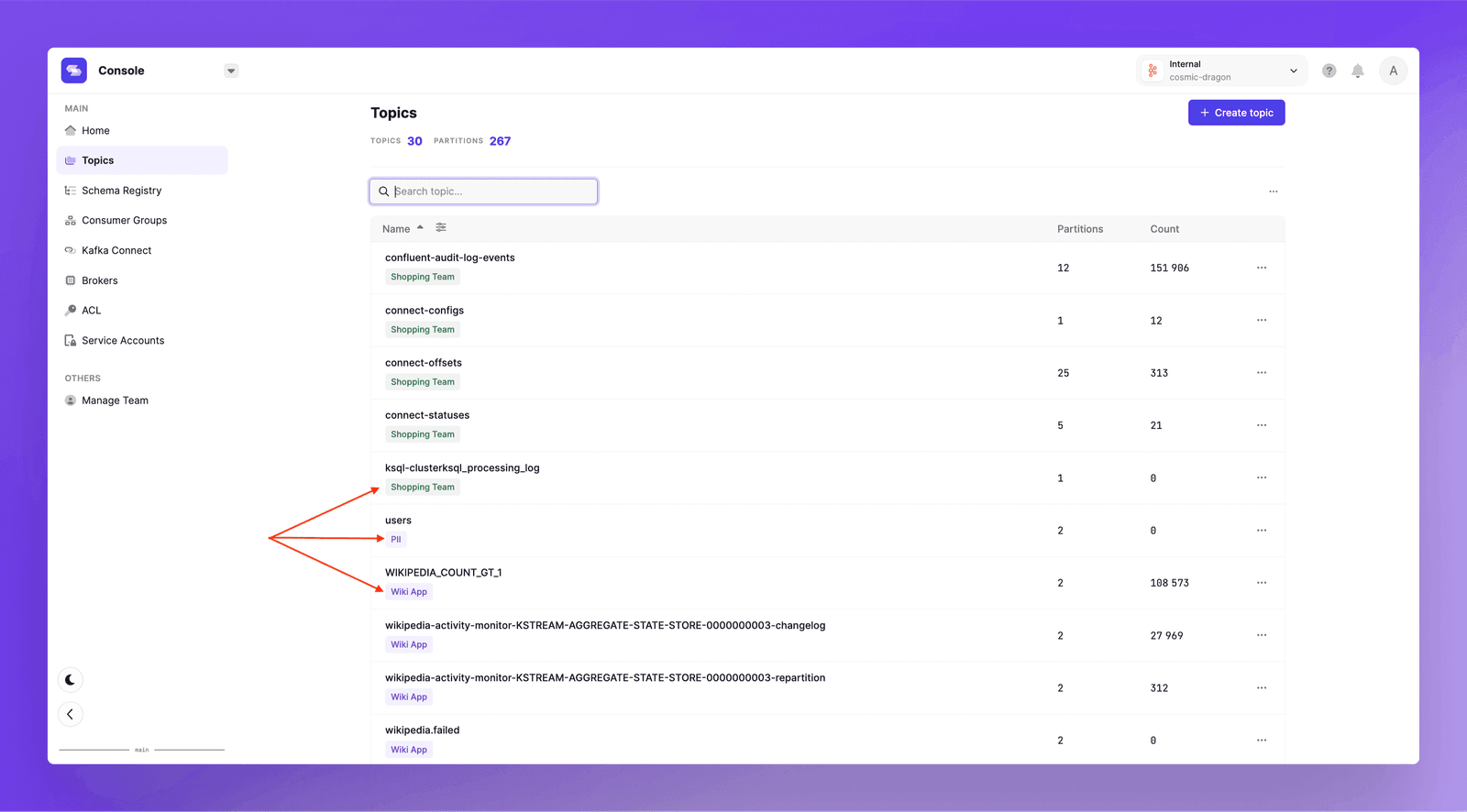
Attribute resources to specific teams, projects, or business units. Ownership becomes visible across the company.
Service Account Management
Console introduces service account management for applications requiring programmatic Kafka access. Desktop lacks this feature.
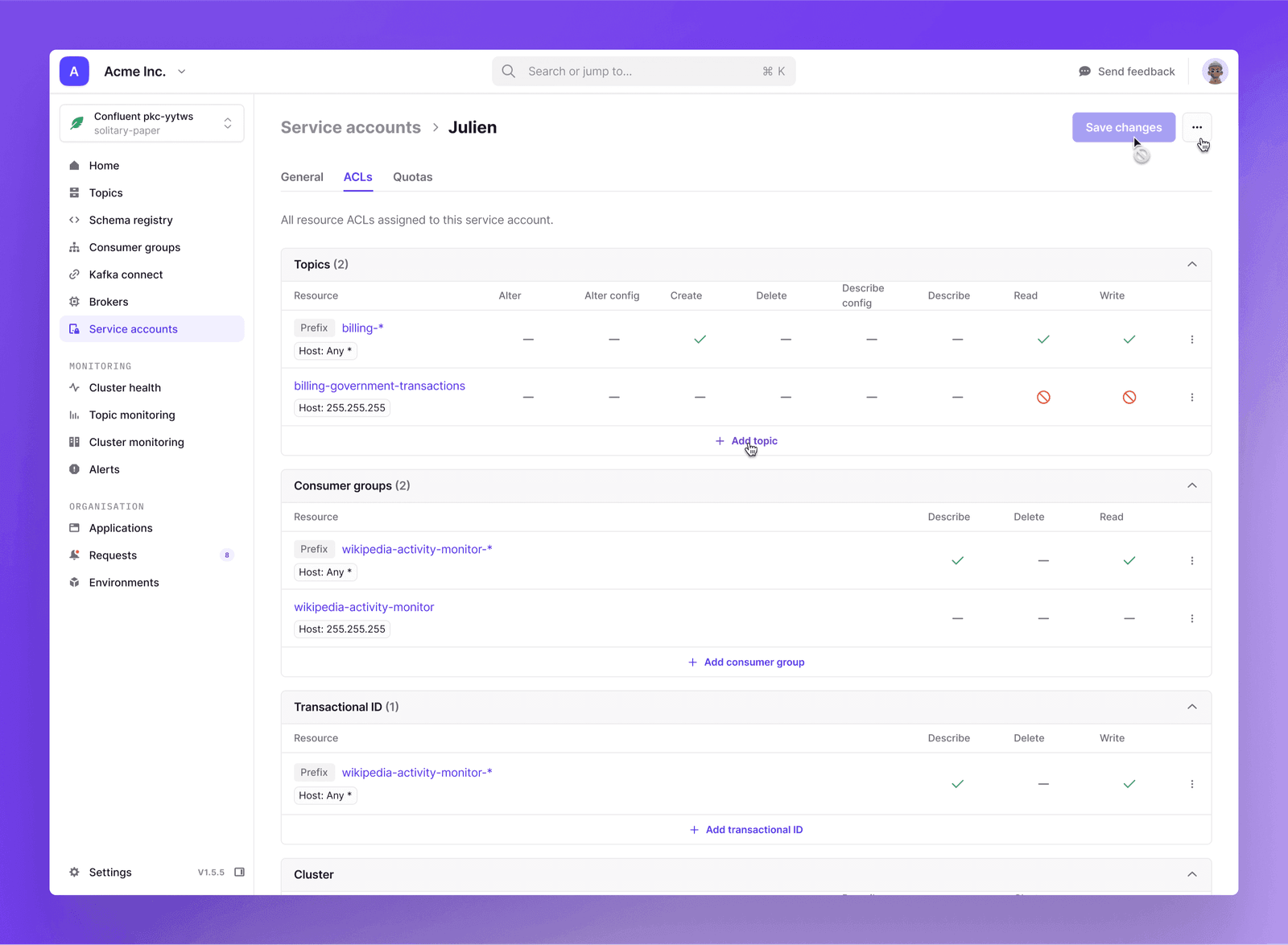
Features include:
- Consolidated view of service accounts
- Associated ACLs
- Quotas
Confluent and Aiven integration unifies Kafka application access management across multiple clusters and providers.
Public API for GitOps and Automation
Customers need to interact with Conduktor outside the interface:
- Synchronize permissions via external applications
- Deploy through GitOps processes
Console's public API allows third-party developers to build applications and services. The API covers Users, Groups, Permissions, and Clusters management with more use cases planned.
Optimized for Large-Scale Environments
Large customers drive performance optimization. Tens of thousands of topics, consumer groups, schemas, and connectors are common.
Desktop cannot handle this scale. Screens take minutes to render. Productivity drops.
Console is tested against large clusters regularly. Every bit of logic is optimized for large environments.
The Decision
Console replaces isolated, individual development with organization-wide controls. The benefits are organizational and practical.
Platform Architects and Ops Leads: Console brings security, governance, and compliance to a centralized Kafka deployment. No more "open bar" environments creating risk when Kafka is business-critical.
Developers: Speed, repeatability, and collaboration improve. Programmatic access, real-time notifications, shareable URLs, and automation reduce manual work. Extensive RBAC and data masking mean developers can operate freely without blanket access rules slowing incident resolution.
If you use Desktop, switch to Console. Single developer or engineering team, the experience is better.