Conduktor Now Available on AWS Marketplace for MSK Users
Deploy Conduktor on AWS Marketplace for MSK with IAM, Glue Schema Registry support, and seamless ECS/EKS integration in minutes.

AWS MSK (Amazon Managed Streaming for Apache Kafka) makes deploying Kafka on AWS straightforward. You get a production-ready, self-managed Kafka cluster in a few clicks.
Conduktor provides tooling for Kafka developers and infrastructure teams. The product has two parts: a UI for developer efficiency and Conduktor Gateway, a Kafka proxy for DevSecOps needs (best-practices enforcement, end-to-end encryption, auditability, multi-tenancy, seamless failover).
Conduktor is now available on the AWS Marketplace. Deploy it in a few clicks and connect to your AWS MSK cluster. Within moments, you can view and manage your Kafka data, perform operations, troubleshoot connectors and consumer groups.
In late 2022, we showed how to deploy Conduktor on AWS using CloudFormation to gain visibility on your Amazon MSK. This post covers new updates and integration options.
How to Deploy Conduktor on AWS
Conduktor is distributed as a Docker container. It runs on anything supporting Docker on AWS:
- ECS
- EKS
- Fargate
- A single EC2 instance
Install it inside the VPC that hosts AWS MSK to avoid connectivity and security issues. Expose port 8080 for HTTP and ensure Conduktor can connect to your Kafka clusters on port 9092.
To evaluate locally with an embedded Kafka:
curl -L https://releases.conduktor.io/quick-start -o docker-compose.yml && docker compose upTo connect directly to your AWS MSK clusters (no embedded Kafka):
curl -L https://releases.conduktor.io/console -o docker-compose.yml && docker compose upAfter evaluation, deploy Conduktor on your AWS infrastructure for centralized access. The real value comes when all your developers can join and collaborate in one place.
AWS MSK Cluster Types and Features
AWS MSK clusters come in two types:
- Provisioned: You specify the number of brokers and storage per broker.
- MSK Serverless: Scales cluster capacity automatically based on throughput needs. Best for variable or unpredictable workloads.
AWS automatically deploys Kafka brokers to different Availability Zones for high availability. If a zone fails, your cluster stays up (see recent outages).
AWS MSK includes:
- Auto-scaling Kafka clusters
- AWS Glue Schema Registry for schema management
- MSK Connect for integrating with data sources and sinks (S3, OpenSearch, DynamoDB, Redshift)
Everything is secured by AWS IAM and VPCs.
Conduktor Integration with AWS MSK
Conduktor supports the AWS MSK ecosystem:
- MSK Dedicated or Serverless clusters
- IAM authentication and authorization
- AWS Glue Schema Registry
- MSK Connect (on roadmap, share feedback)
Conduktor needs a database for configuration. Use Amazon RDS with PostgreSQL 14.8 or 15.3. Amazon RDS Proxy support was introduced in version 1.17.1.
Connecting to AWS MSK Using IAM
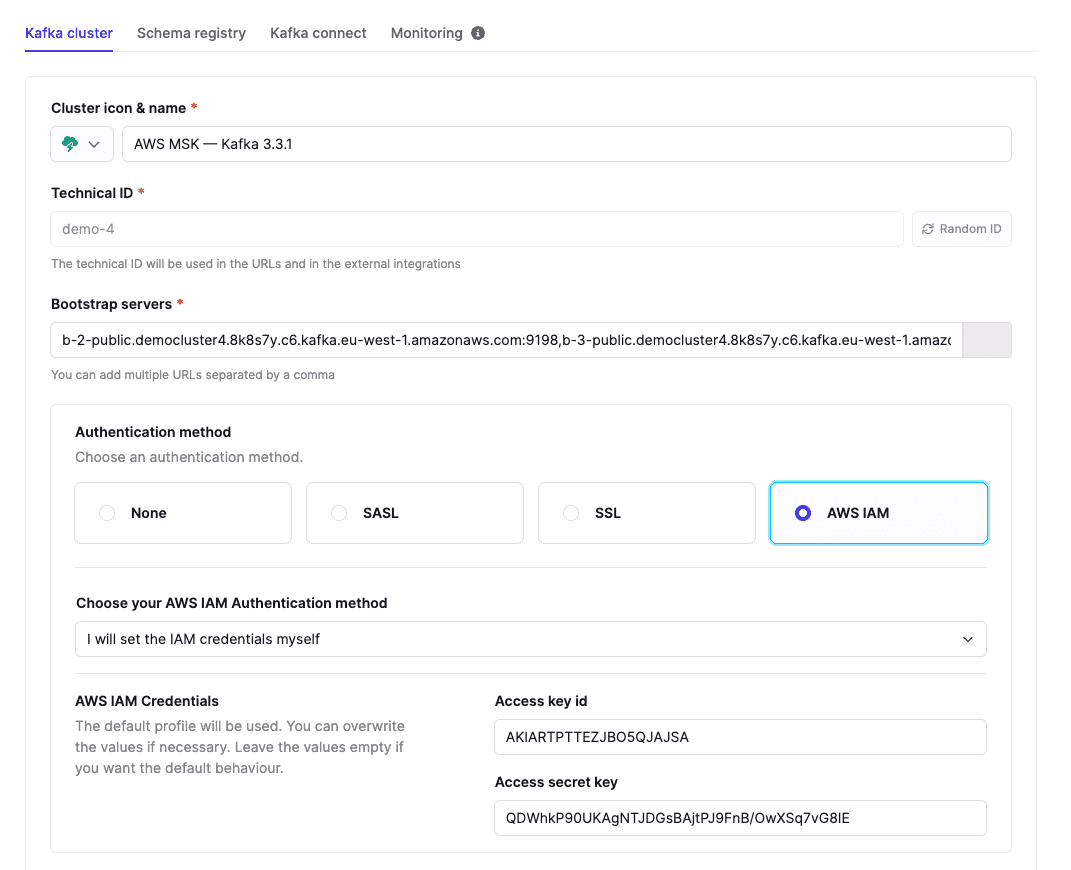
You can use dedicated AWS access keys or IAM roles inherited from the host (ECS, EC2).
Using dedicated AWS access keys: In your Conduktor cluster configuration, select "I will set the IAM credentials myself."
Conduktor automatically uses the right SASL mechanism (AWS_MSK_IAM) and the IAMLoginModule. For configuration details (alternative profiles, roles), see the documentation.
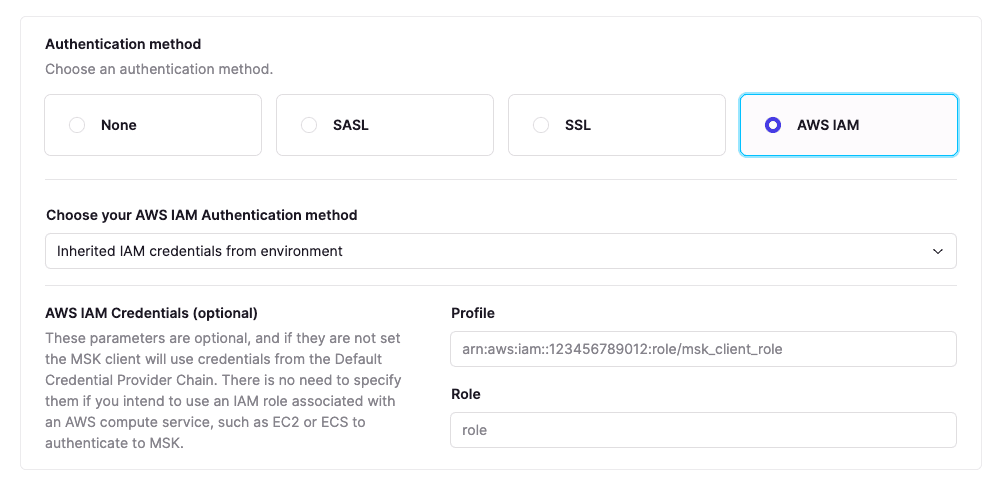
Using IAM roles: Select "Inherited IAM credentials from the environment." Conduktor uses the standard AWS Default Credentials Provider Chain to find the right IAM role.
Connecting to AWS Glue Schema Registry
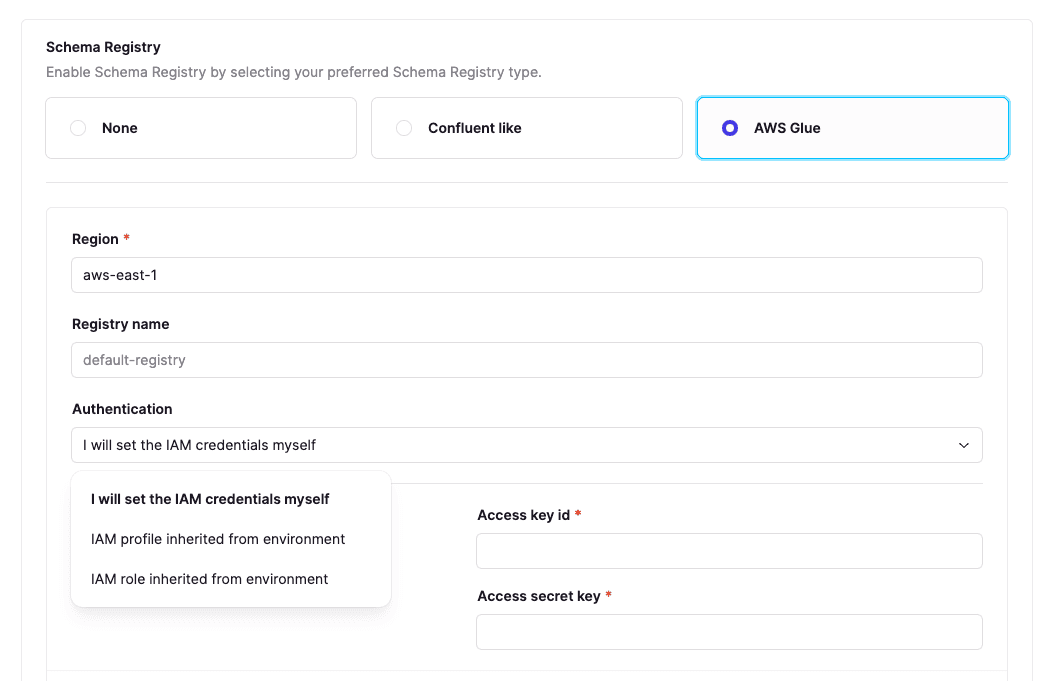
Conduktor fully supports AWS Glue with the same IAM strategies as MSK connections.
AWS Glue has a different API from Confluent Schema Registry (also supported by Conduktor) and lacks some features like TopicNameStrategy.
In your cluster configuration, select AWS Glue, pick your region and registry name, then choose your IAM strategy.
Cross-Network Connectivity with Gateway
Large organizations often use multiple cloud providers and regions to ensure business continuity when zones go down. This creates complex networking topologies and adds work for users and applications communicating across VPCs while maintaining security, compliance, and traceability.
Conduktor Gateway is a Kafka proxy. Deploy it anywhere across VPC networks to bridge different parts of your infrastructure.
Gateway handles Kafka routing: sending traffic to the right cluster/topic and passing traffic from clusters to users/applications. See how to build Virtual Clusters and Federate multiple Kafka clusters. Configure everything at runtime without impacting applications. If your traffic traverses multiple networks, Gateway is your Kafka router. Think of it as nginx for the Kafka protocol.
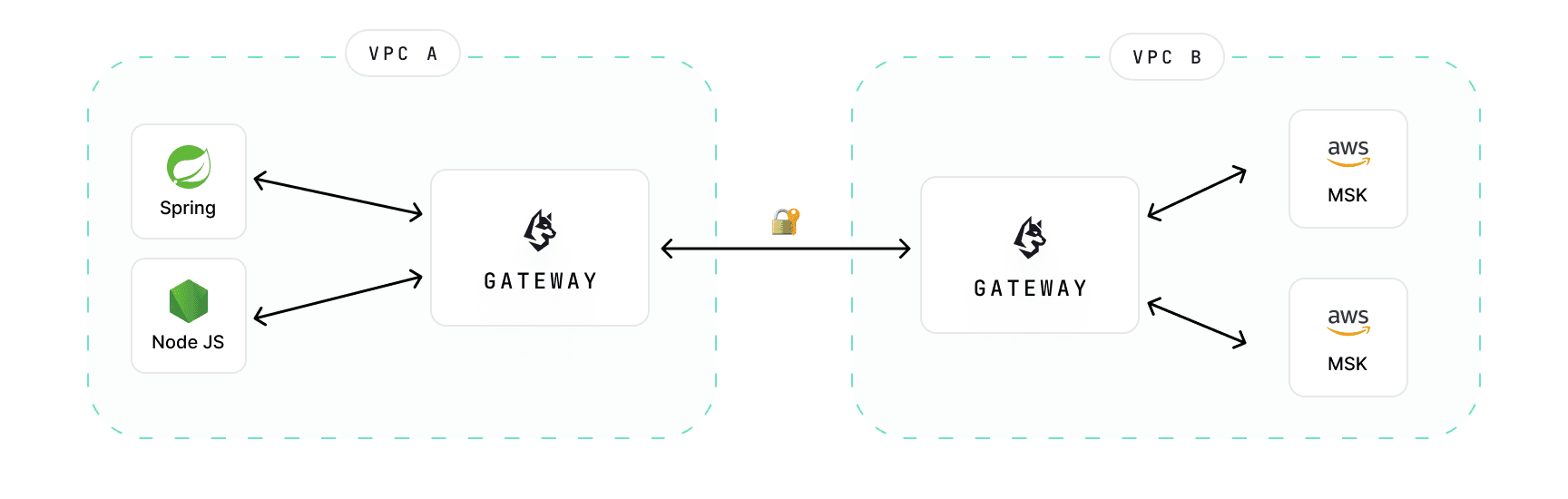
Gateway sits on top of AWS MSK to enforce security, data encryption, and safeguarding rules at scale across clusters. It can reduce costs and manage failovers without impacting applications.
Developers change nothing. Ops teams get flexibility to update infrastructure. Use AWS MSK for streaming infrastructure and Gateway to connect from anywhere: on-premise datacenters or other cloud providers.
Installing from AWS Marketplace
Conduktor is now on the AWS Marketplace.
Steps:
- Go to the AWS Marketplace and subscribe to Conduktor
- Accept terms
- Configure your fulfillment
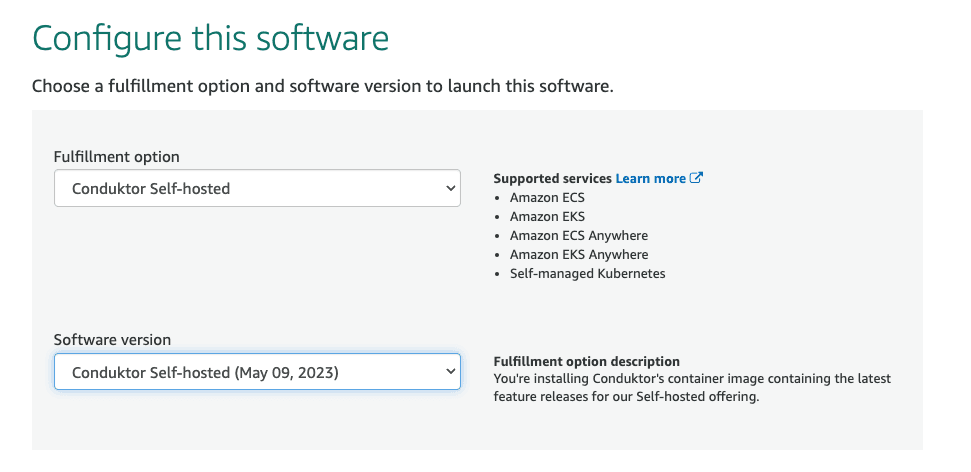
AWS provides the command line to install Conduktor from ECR:
$ aws ecr get-login-password --region us-east-1 | docker login \
 --username AWS \
 --password-stdin 709825985650.dkr.ecr.us-east-1.amazonaws.com
Login Succeeded
$ docker pull 709825985650.dkr.ecr.us-east-1.amazonaws.com/conduktor/conduktor-selfhosted:1.17.1
1.17.1: Pulling from conduktor/conduktor-selfhosted
...
List all available tags:
$ aws ecr describe-images --registry-id 709825985650 --repository-name conduktor/conduktor-selfhosted --region us-east-1 | jq -r '.imageDetails[].imageTags[0]'
1.17.1-arm64
1.17.1-amd64
1.17.1
...
Run Conduktor wherever you want (EC2, ECS, EKS) or on your laptop:
$ docker run -p 8080:8080 709825985650.dkr.ecr.us-east-1.amazonaws.com/conduktor/conduktor-selfhosted:1.17.1
2023-08-03T07:11:01Z [entrypoint] INFO - Welcome to Conduktor Platform !
See the guide for deploying on AWS using CloudFormation: Getting Started on AWS.
AWS Integration Roadmap
We are working with AWS MSK to support all their use cases and integrate deeply with the AWS ecosystem.
The AWS Marketplace listing is the first step. We will continue improving integration with the AWS MSK ecosystem, including support for MSK Connect.